Giving meaning to Materialized Query Database/Table Name
Introduction
This post shows a way for giving meaning to Materialized Query database and table name. The name is originally built with GUID and the name sometimes confuses us.
Practices
Materialized Query Database/Table Name
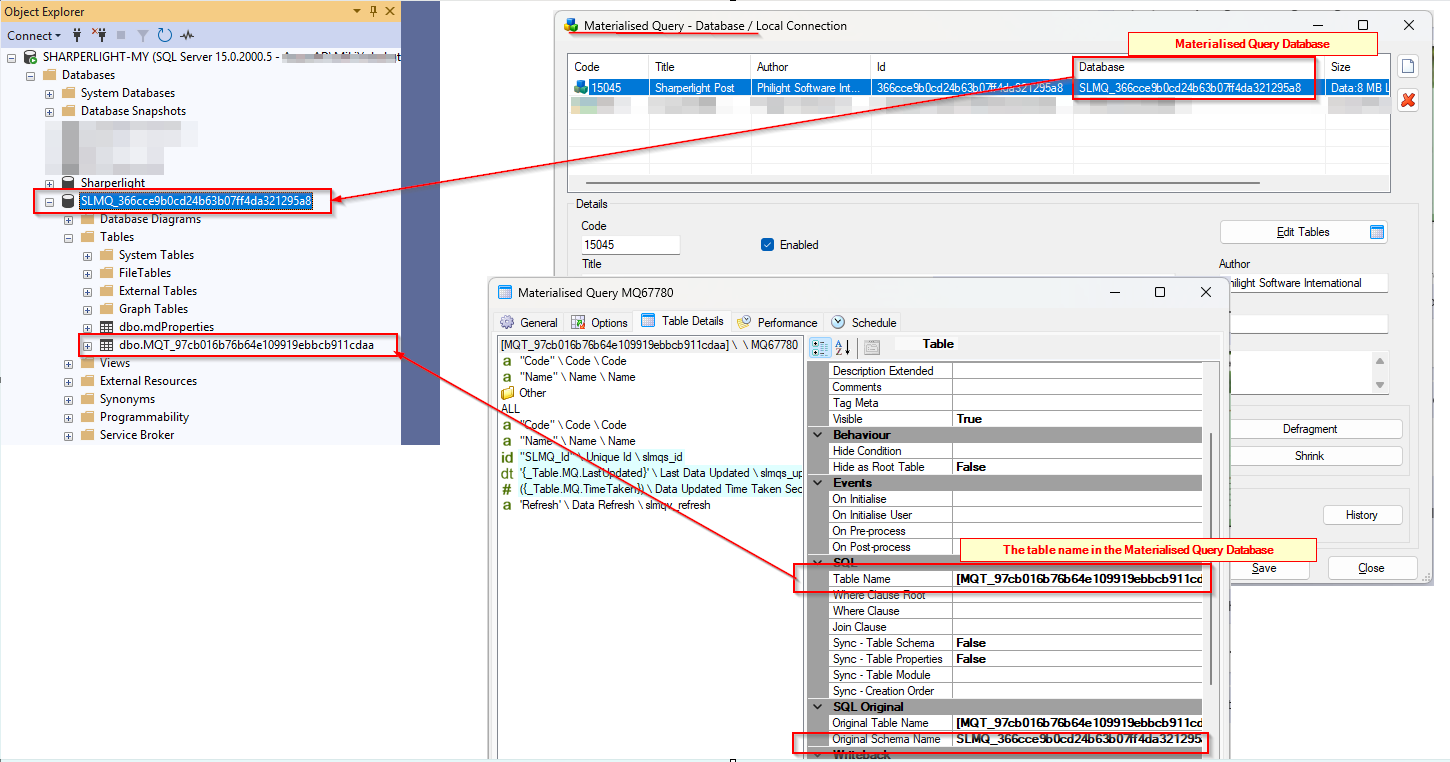
When they are initially created, the names are constructed using GUIDs (as shown below). Because of this, the names do not clearly express the purpose of the database or table.
Giving meaningful name
The materialized query database and tables are located on the same server as the Sharperlight System Database. You can find them using Microsoft SQL Server Management Studio (SSMS) if the system is hosted on a SQL Server instance.
The structure should look like this:
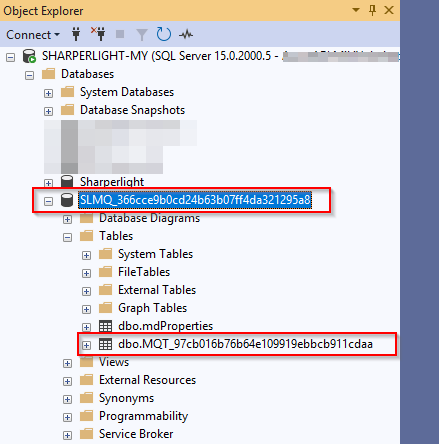
Now, you can rename them using Microsoft SQL Server Management Studio (SSMS).
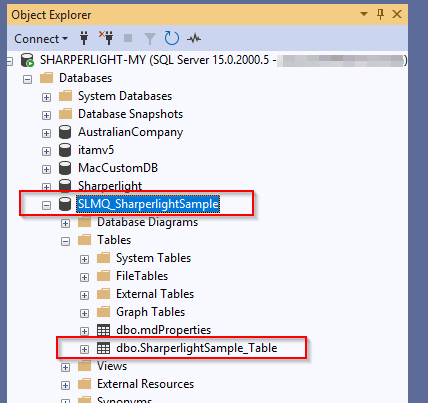
Please note that the database name must include the prefix ‘SLMQ_’.
The renaming has been completed as follows.
Updating the corresponding Materialized Query Database and Table definition
Now that the physical database and table have been renamed, you must update the corresponding Materialized Query database and table definitions.
Open Materialized Query from the Sharperlight Application Menu. Select the target Materialized Database, then click the Edit Tables button to view the list of tables.
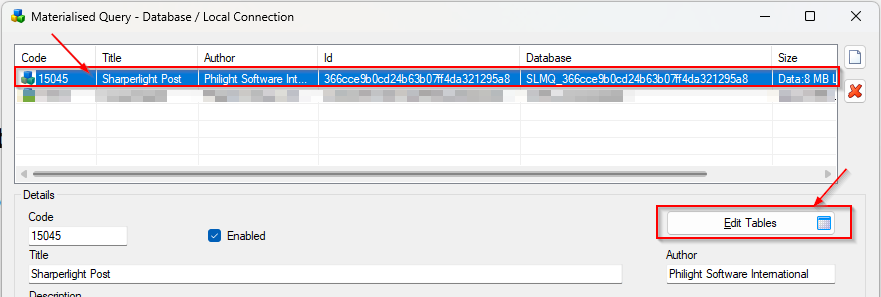
Double-click the target table to open its Definition.
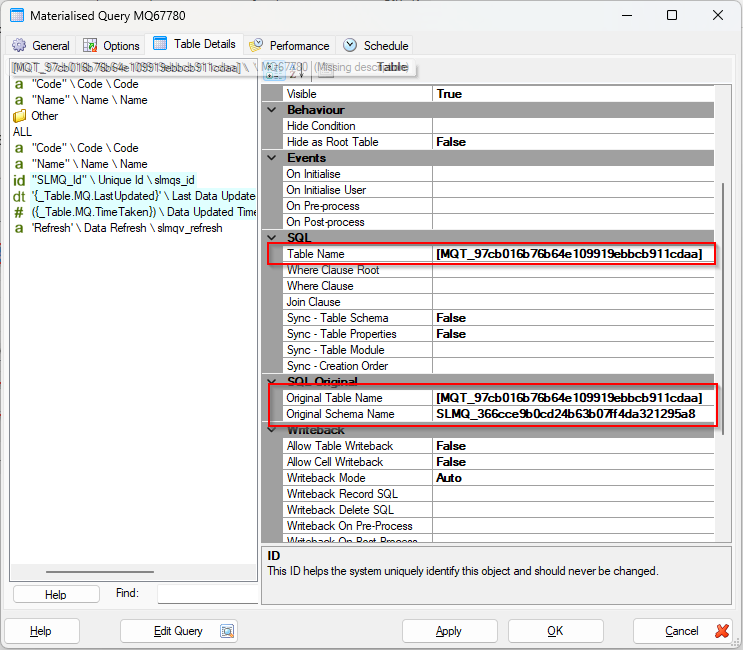
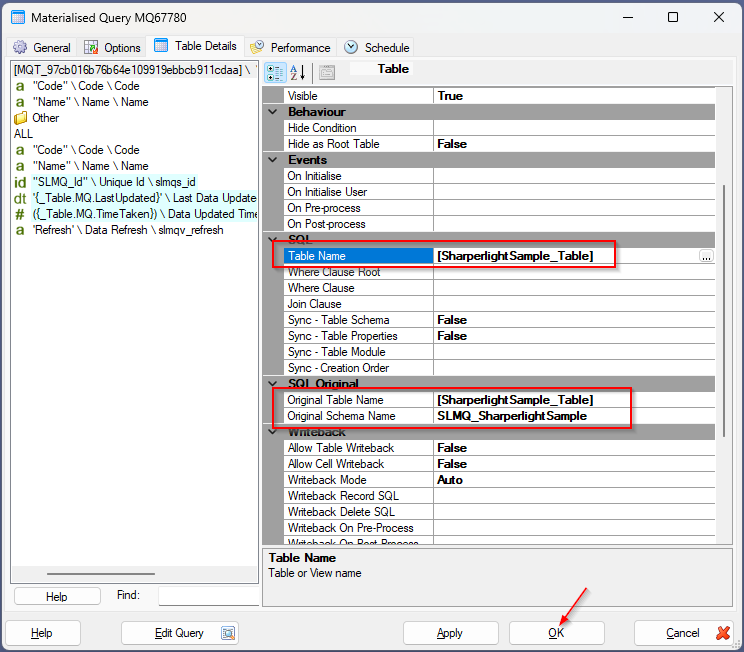
Update the Table Name, Original Schema Name, and Original Table Name properties, then click OK to save your changes.
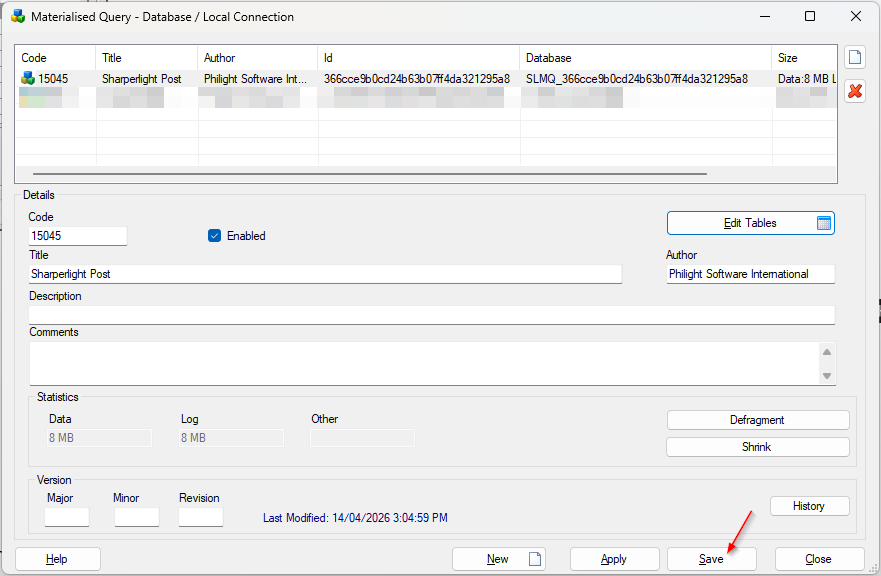
Also, click Save in the Materialized Query – Database dialog to save your changes.
Afterword
Now that you have meaningful names for them, you will never confuse them again.
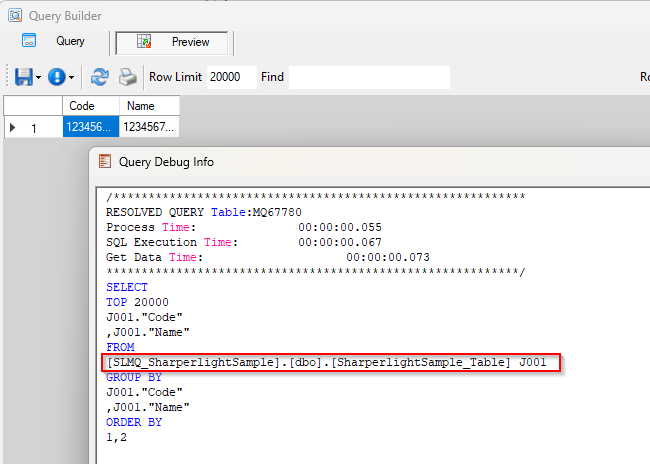
Query Builder is now using the right name like this.