Service Help – Images
The Sharperlight service offers a wide variety of presentation methods, each with its own set of parameters.
In this post, we will introduce the following method from among the various presentation methods available.
http://abcd.com/mdService1Rest/ImageBar/… http://abcd.com/mdService1Rest/ImageSparkline/… http://abcd.com/mdService1Rest/ImageGradient/… http://abcd.com/mdService1Rest/ImageText/… http://abcd.com/mdService1Rest/ImagePinMarker/…
{sharperlight service url}/Help#ImageBar
|
Create an image bar that is between the min and max values
http://abcd.com/mdService1Rest/ImageBar/?width=200&height=15&min=0&max=100&value=50&color=blue
http://abcd.com/mdService1Rest/ImageBar/?width=200&height=15&min=-100&max=100&value=-50&color=blue&colorNeg=red&color1=yellow&color2=99FF33&margin=2
http://abcd.com/mdService1Rest/ImageBar/?width=200&height=15&min=-100&max=100&value=45&color=blue&colorNeg=red&color1=yellow&color2=99FF33&margin=2&label=45
http://abcd.com/mdService1Rest/ImageBar/?width=200&height=15&min=0&max=100&value=10&color=blue&color1=99FF33&color2=red
http://abcd.com/mdService1Rest/ImageBar/?width=200&height=15&min=0&max=100&value=80&color=yellow&color1=white&color2=99FF33&margin=2
http://abcd.com/mdService1Rest/ImageBar/?width=200&height=15&min=0&max=100&value=80&color=yellow&color1=white&color2=red&margin=2&reverse=1
http://abcd.com/mdService1Rest/ImageBar/?width=200&height=15&min=0&max=100&value=80&color=black&color1=yellow&color2=red&reverse=0&direction=horz&arrow=1
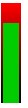
http://abcd.com/mdService1Rest/ImageBar/?width=20&height=100&min=0&max=100&value=80&color=00CC00&color1=black&color2=red&margin=2&reverse=0&direction=vert
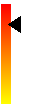
http://abcd.com/mdService1Rest/ImageBar/?width=20&height=100&min=0&max=100&value=80&color=black&color1=yellow&color2=red&reverse=0&direction=vert&arrow=1
|
|
| color=[Htmlcolor] | The Bar or Arrow color , defaults to blue. e.g. color=blue or color=CC0000 |
| colorNeg=[Htmlcolor] | The Bar or Arrow color when the value is negative , defaults to red. e.g. colorNeg=red or colorNeg=CC0000 |
| color1=[Htmlcolor] | Background gradient color 1, defaults to transparent, &color1=green |
| color2=[Htmlcolor] | Background gradient color 2, defaults to transparent &color2=FF0000 |
| direction=[vert|horz] | Gradient direction vertical or horzontial &direction=horz or &direction=vert |
| min=[(n)] | Used in scaling, minimum value, defaults to min=0 |
| max=[(n)] | Used in scaling, maximum value, defaults to max=100 |
| value=[(n)] | Used in scaling, current value this will determine the length of the bar |
| reverse=[1|0] | Reverse the bar, by default the bars min point is on the left e.g. &reverse=1 |
| width=[1..(n)] | Image width, defaults to width=200 |
| height=[1..(n)] | Image height, defaults to height=15 |
| margin=[0..(n)] | The margin between the bar and background. Defaults to 0 e.g. &margin=2 |
| label=[yourLabel] | Display a label on the bar. this will in most cases be the value e.g. &label=23 |
| imageType=[png|gif] | Image type. defaults to imageType=png |