
Customizing the Data Entry Form with DataModel
Introduction
SharperLight has a built-in standard entry form if the tables are configured as writable, and it just stacks the fields vertically.
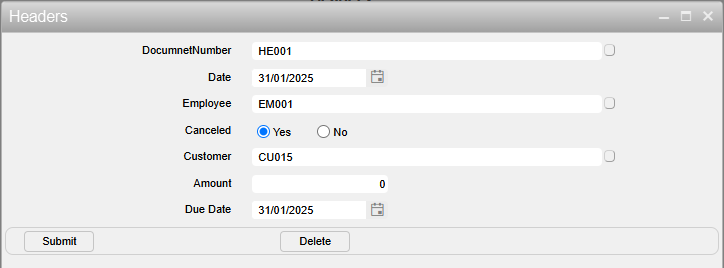
In this post, I’ll show you how to customize the entry form to display fields in multiple columns and how to group fields together.
The post ‘Customizing the Data Entry Form with Foundry‘ explains how to do the same thing, but it can also be done with a DataModel definition.
Practices
Multiple Columns
This can be achieved by specifying the column number for each column definition in the datamodel.
Open the datamodel with Sharperlight Studio.
Select Table tab, and choose the target table i.e. “Headers” table.
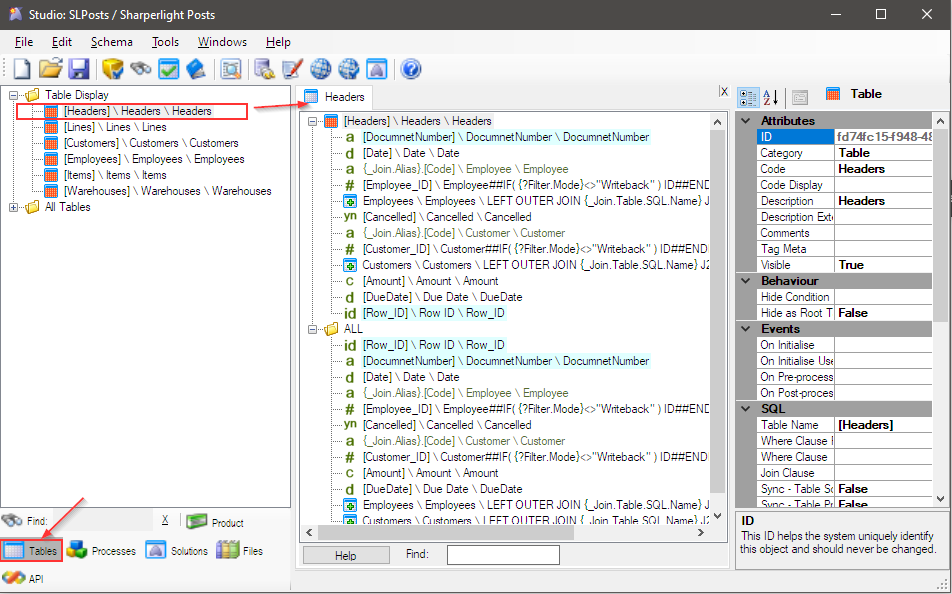
The details of the Headers table is displayed in the middle section.
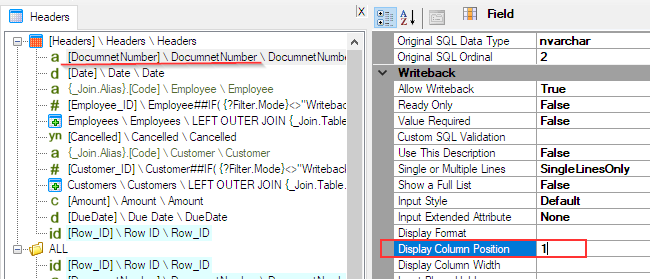
Then we need to set column number to “Display Column Position” attribute for each column definition.
Set 1 for “DocumentNumber”, “Employee_ID”, “Customer_ID” and “Amount”.
Set 2 for “Date”, “Cancelled” and “DueDate”.
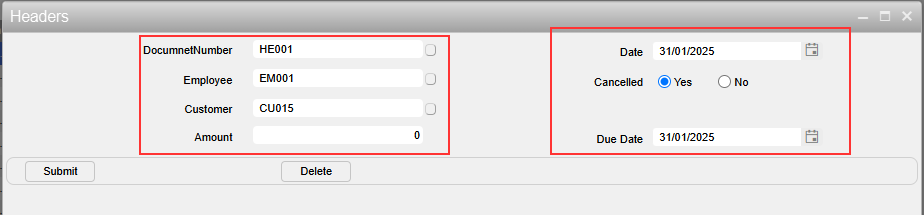
Save it, restart the Sharperlight service, and go to the Data Entry Form. It should look like this.
Grouping
Grouping can also be done by specifying the group name in the ‘Group Form Frame Start‘ attribute for each column definition.
Set “Group A” for “DocumentNumber”, “Date”, “Employee_ID” and “Cancelled”.
Set “Group B” for “Customer_ID”, “Amount” and “Due Date”.
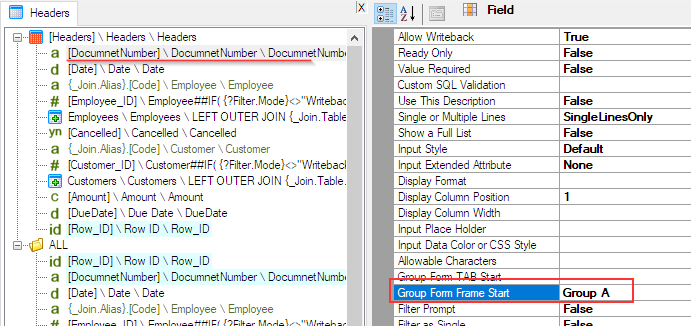
Save it, restart the Sharperlight service again, and go to the Data Entry Form. It should look like this.
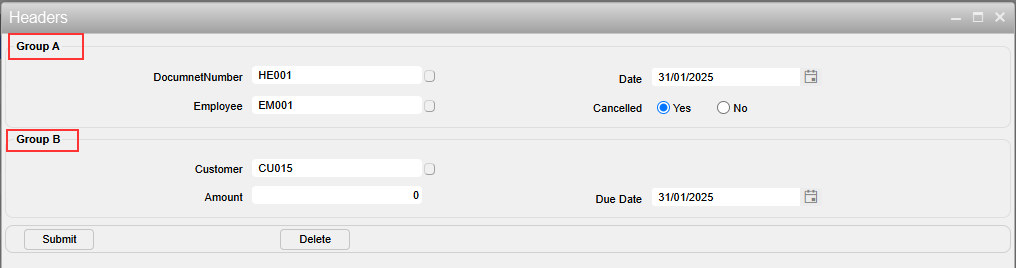
Note
When the Data Entry Form is loaded, the width is not sufficient to display the fields in the second column properly.
You need to specify the width and height when the Data Entry Form is opened, such as with the ‘window.open()’ function.
window.open('http://{server name is here}/mdService1Rest//EntryForm/?productcode=SLPosts&tablecode=Headers&editid=1&hideid=1&submitReload=2&layout=auto&closeWinOnSuccess=1&showBorders=0&hideButtons=clear_refresh&title=&style=white-flat4-solid7-prompt-tile-right-tc19','Headers','width=1000,height=700');Afterword
Enjoy using Sharperlight’s standard features while adjusting them to suit your business needs.