
Managing Webhook Payloads: Pushing and Pulling Data
Introduction
Sharperlight can receive data via HTTP/HTTPS webhooks. In this post, we’ll demonstrate how to handle these incoming payloads with a Scheduled Task.
Practices
We are establishing a sandbox environment to validate the Sharperlight webhook endpoint and its integration with Scheduled Tasks.
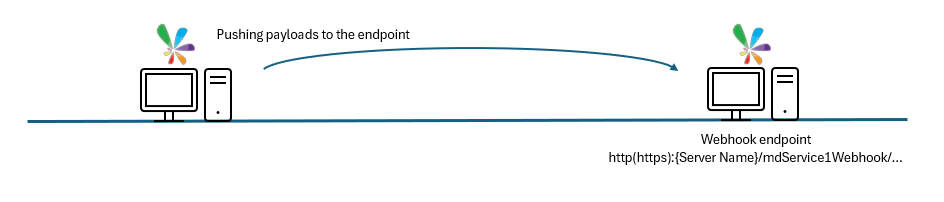
We are using a local network setup where one PC pushes data directly to the Sharperlight webhook endpoint hosted on a second PC.
Scheduler Task for pushing data
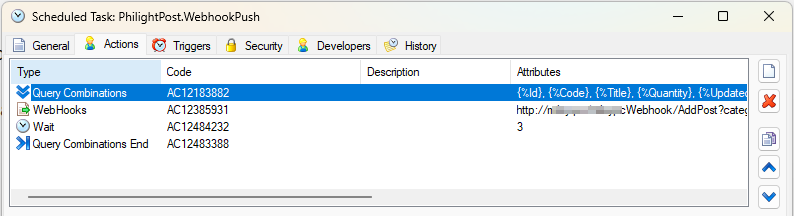
It pushes several data generated with a query to the webhook endpoint.
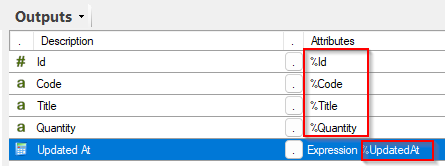
Query Combinations (the 1st) Action
The first action is ‘Query Combinations’, which functions similarly to a ‘For Loop’ in standard programming. If the defined query returns five records, all subsequent actions will execute five times, allowing you to utilize the specific values from each row in every iteration.
The query defined uses a custom data set.
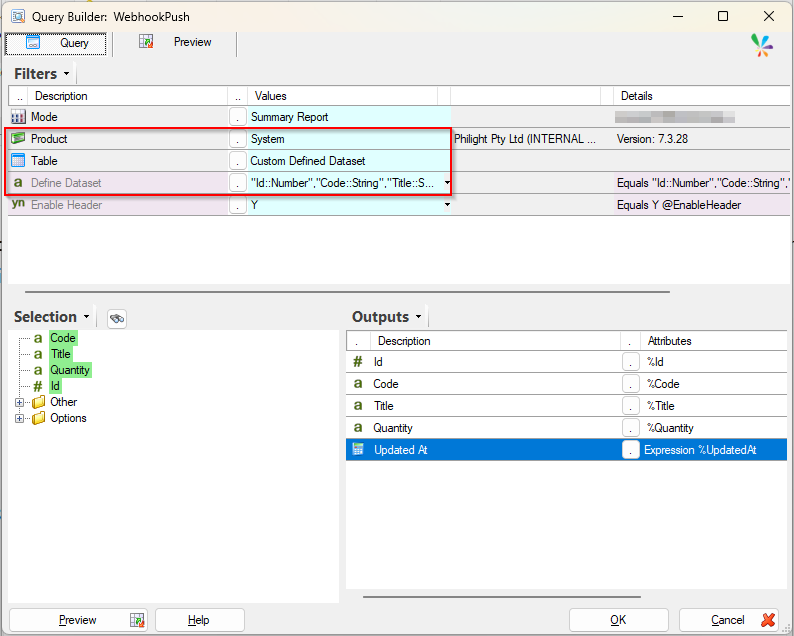
The custom data is shown here;
"Id::Number","Code::String","Title::String","Quantity::String"
49375,"1413790e-fc3c-4fa7-aed4-6b6ewd9a6e03","Diarly","150.0"
50001,"2513790f-ac4c-4fa7-afd5-6b6exd0a6e04","Pen Case","250.0"
60021,"3613790g-bc5c-4fa7-agd6-6b6eyd1a6e05","Book Shelf","50.0"
70123,"4713790h-cc6c-4fa7-ahd7-6b6ezd2a6e06","Ball Pen Black","80.0"
84545,"5813790i-dc7c-4fa7-aid8-6b6ead3a6e07","Note A4","100.0"
Webhooks (the 2nd) Action
The next action is a ‘Webhooks‘, which pushes the data populated by the query to the designated webhook endpoint.
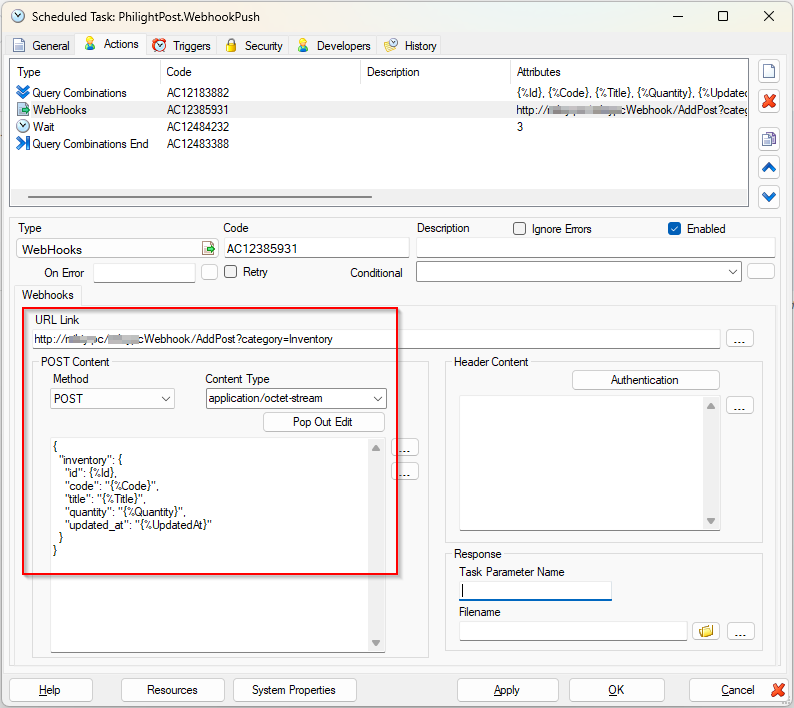
URL Link: It should be the Sharperlight Webhook Endpoint and the default URL is here.
http://{server name is here}/mdService1Webhook/AddPost?category=InventoryThe URL includes a ‘category’ parameter set to ‘Inventory’. This parameter allows the receiving endpoint to identify the type of data being sent and process it accordingly.
Method: It can be ‘POST‘.
Content Type: For Sharperlight versions v7.3.50 and earlier, the Content-Type must be set to ‘application/octet-stream’.
Body: In this case, the payload is constructed from the query results in JSON format. You can reference the query results using the standard Sharperlight tag format, such as {%id} or {%Code}.
Wait (the 3rd) Action
The ‘Wait‘ action pauses the process for a specified number of seconds to ensure that data pushes occur sequentially.
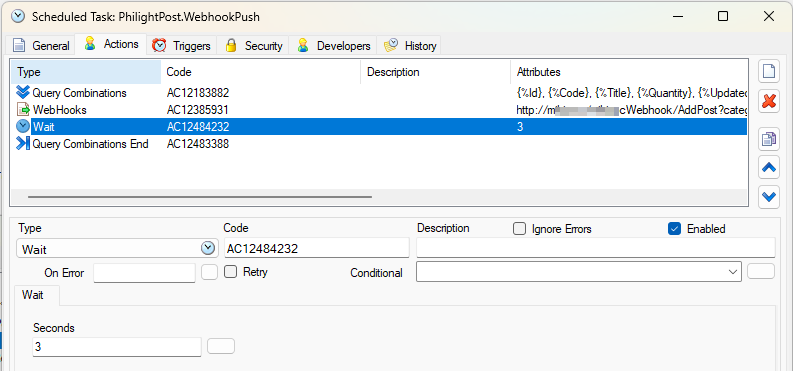
Query Combination End (The 4th) Action
The ‘Query Combination End’ action serves as the closing marker for the ‘Query Combination’ loop; it acts as a logical boundary and does not perform any additional processing.
Scheduler Task for receiving data
A corresponding task can be created on the endpoint side to receive the incoming data, which can then be parsed using JavaScript.
JavaScript Action
Incoming data can be retrieved and processed using Sharperlight’s built-in JavaScript functions.
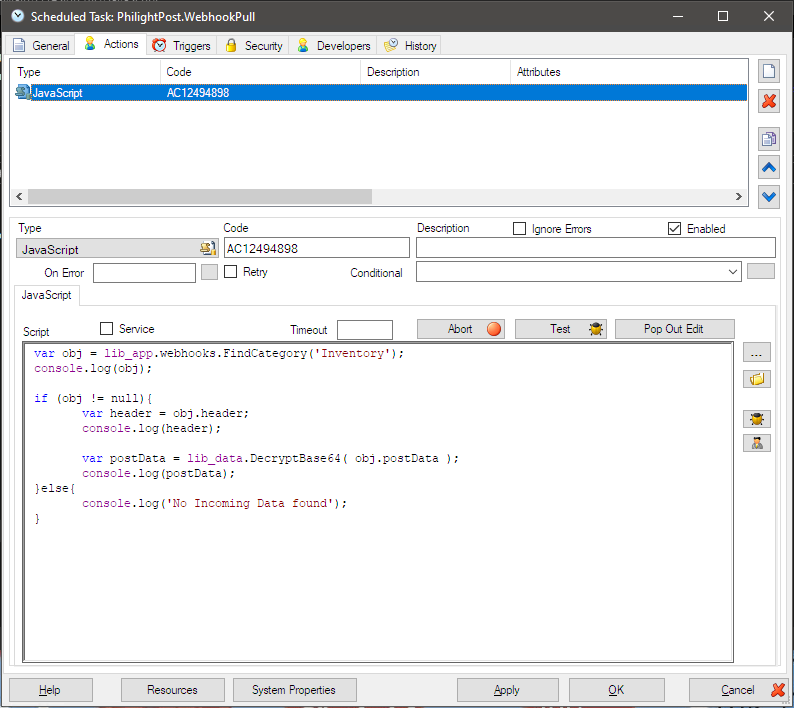
The whole incoming data can be retrieved with this function by specifying the category parameter.
var obj = lib_app.webhooks.FindCategory('Inventory');Then the header part can be collected with this code.
var header = obj.header;Finally, the body of incoming data is fetched with this function.
var postData = lib_data.DecryptBase64( obj.postData ); Testing the Webhook Workflow
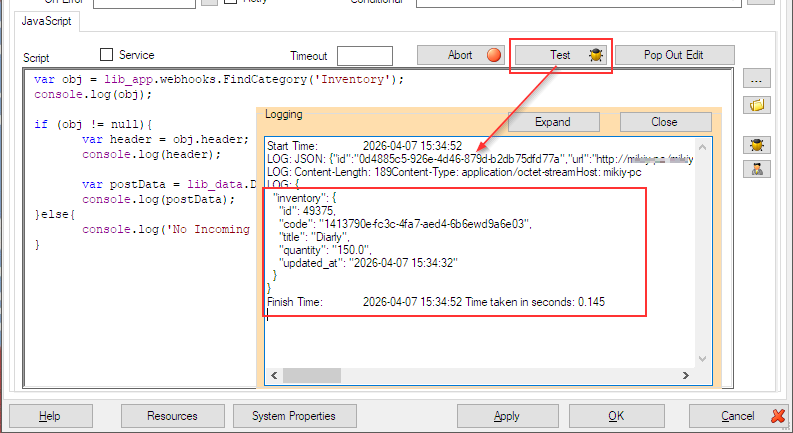
We manually trigger the Webhook task using the right-click context menu. To verify the incoming data, we use the Test button within the scheduler task defined on the endpoint side.
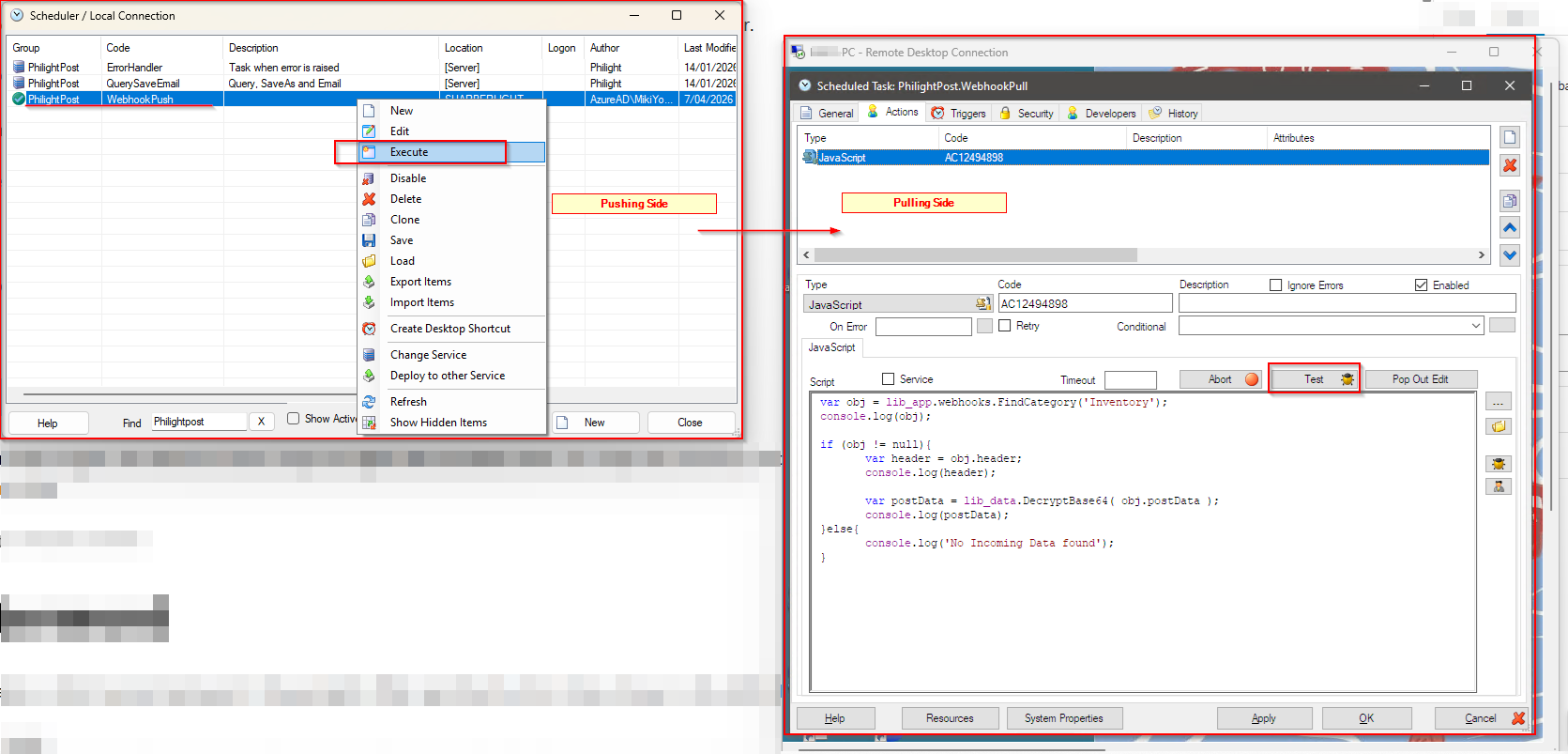
The result is shown here;
Afterword
We have now demonstrated how to push data via the Webhook action and retrieve it using Sharperlight’s built-in functions. This confirms that seamless data exchange between Sharperlight instances is fully supported. Furthermore, because webhooks are an industry standard across modern platforms, you can configure a Sharperlight Webhook endpoint to ingest data from third-party services and process it automatically via a Scheduled Task.