
Expression: Val
Introduction
If the value you want to use in a calculation is stored as a string, you may want to convert it to a number to avoid errors. In that case, use the Val function.
Practices
Query Definition
A simple query is here with a custom defined dataset.
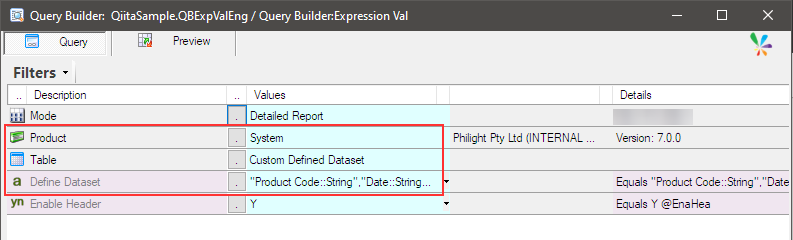
The custom defined dataset is like this.
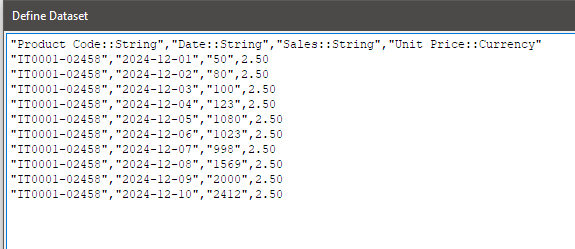
"Product Code::String","Date::String","Sales::String","Unit Price::Currency"
"IT0001-02458","2024-12-01","50",2.50
"IT0001-02458","2024-12-02","80",2.50
"IT0001-02458","2024-12-03","100",2.50
"IT0001-02458","2024-12-04","123",2.50
"IT0001-02458","2024-12-05","1080",2.50
"IT0001-02458","2024-12-06","1023",2.50
"IT0001-02458","2024-12-07","998",2.50
"IT0001-02458","2024-12-08","1569",2.50
"IT0001-02458","2024-12-09","2000",2.50
"IT0001-02458","2024-12-10","2412",2.50
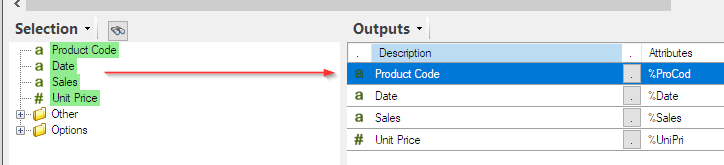
The output items are also like this.
Try to add an expression to calculate the total sales amount for each row.
It should be ‘= Sales x Unit Price’.
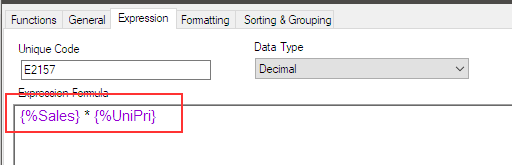
However, ‘Sales’ has its value stored as a string, which causes an error.
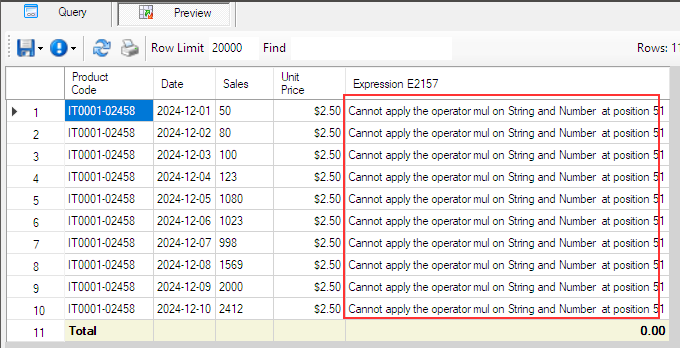
By using the Val function to convert a string value to a numeric value, the error can be resolved.
Use Val function
Modify the expression with Val function.
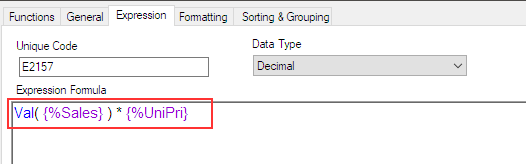
Click OK to save it, and preview it.
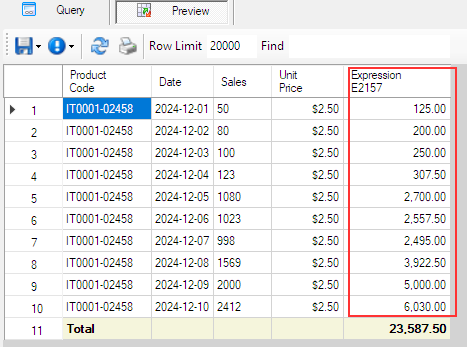
Now, the total amount is calculated without any errors.
Afterword
I hope this helps with your work.
Back to Expression.