
Setup with Multiple SAP Business One databases
Introduction
You may have two SAP Business One databases.
The database A has multiple companies e.g. Company NSW and Company QLD, and the database B also has multiple companies e.g. Company VIC, Company NT and Company WA.
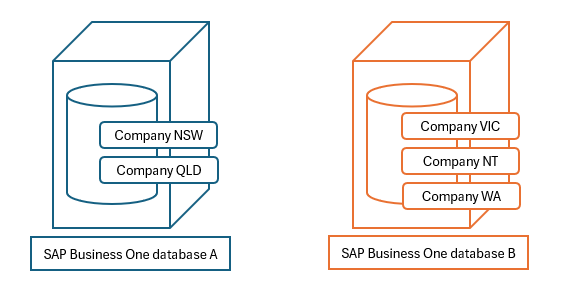
This post explains how Sharperlight can be set up with SAP Business One databases.
Practices
Sharperlight Instances
This case can be handled with Sharperlight Instances. You can create multiple Sharperlight environments using this option on an application server.
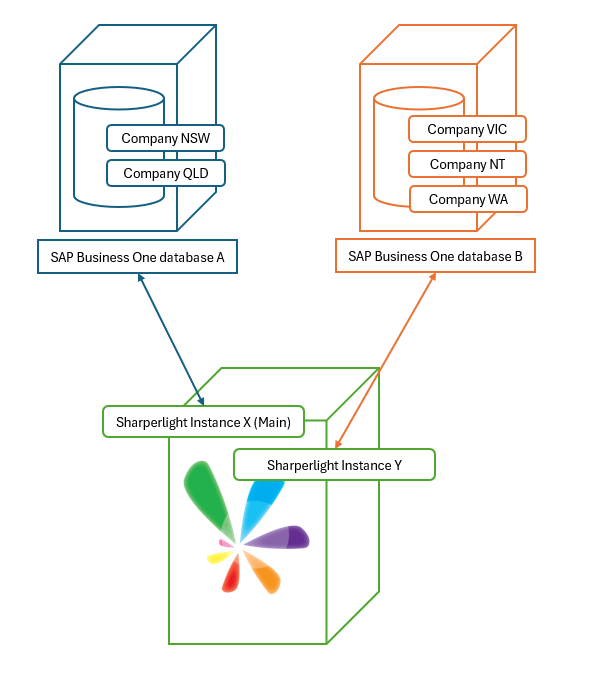
In this scenario, one Sharperlight instance (Instance X) connects to SAP Business One database A, and another instance (Instance Y) connects to database B.
Sharperlight instances can be created and managed with Sharperlight Instance Management application and it is accessible from the application menu.
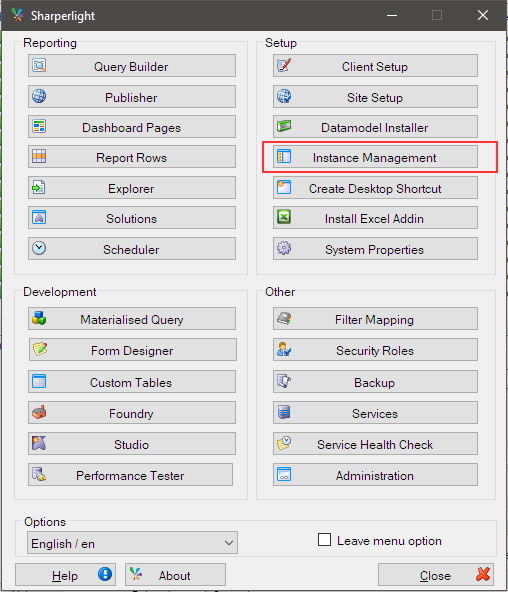
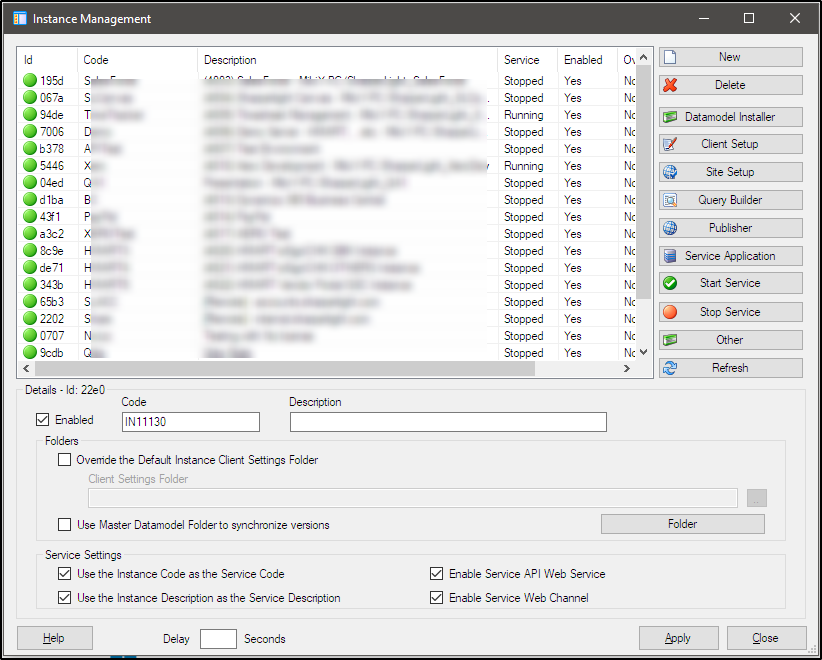
The setup would be like this.
When Sharperlight is installed to an application server, it is only one on the server so let’s call it “Main Instance“.
Then another instance is created with the Instance Management application.
With this scenario, the instance X i.e. the main instance connects to SAP Business One database A, and instance Y connects to SAP Business One Database B.
Instance Configuration
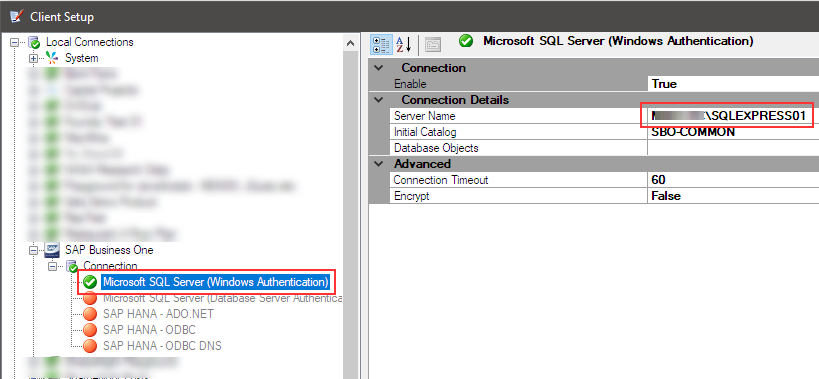
The Main (Instance X) connects to xxxxx\SQLEXPRESS01 SQL database server where SAP Business One database A is.
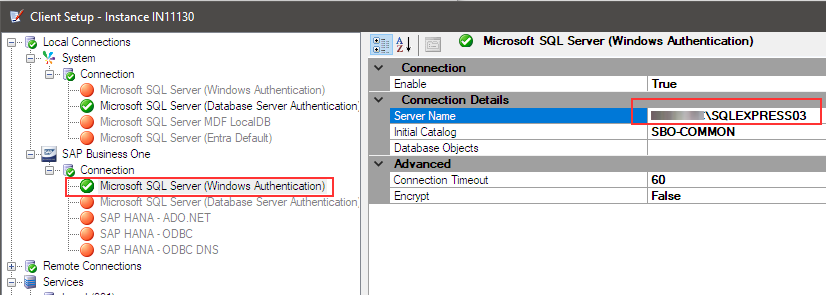
Another instance (Instance Y) connects to xxxxx\SQLEXPRESS03 SQL database server where SAP Business One database B is.
Each instance needs to have its own Sharperlight system database, and a separate Sharperlight license is required for each one.
If the Sharperlight system databases are created on the same Microsoft SQL Server, a materialized query database can be shared by both instances. This allows you to consolidate data from both instances into the materialized query database and use it as the data source for your reporting.
Afterword
This setup allows you to handle multiple SAP Business One databases and multiple companies.
Each Sharperlight instance operates independently, allowing you to manage different users within each instance.