Actuals to date and Budgets by Period
This article explains how to show Actual and Budget Amounts by Period where the Actuals are shown up to the current period and then Budgets from there on.
The example is using Microsoft Dynamics GP but the same principles can be used for other Products.
You may want to also view the article and video on Dynamic Columns first before continuing as it covers the basics of Dynamic Columns.
Download link the Query Builder example (Load this in Query Builder)
 DGP-DynamicActBug.xml
Completed Query
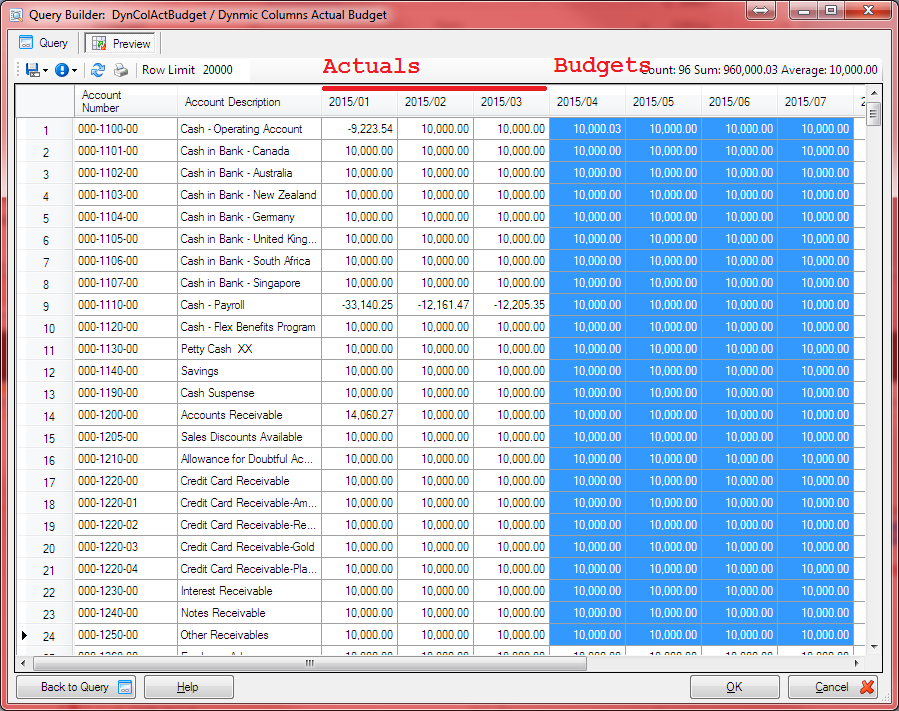
Output Results of Report Actuals shown up to 2015/03 and from there on Budgets
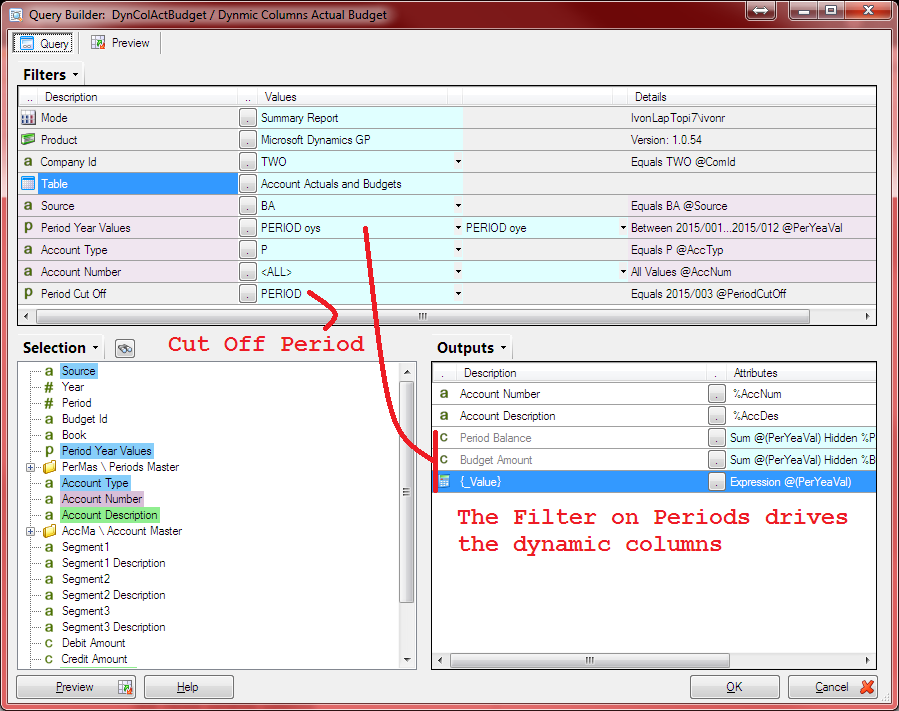
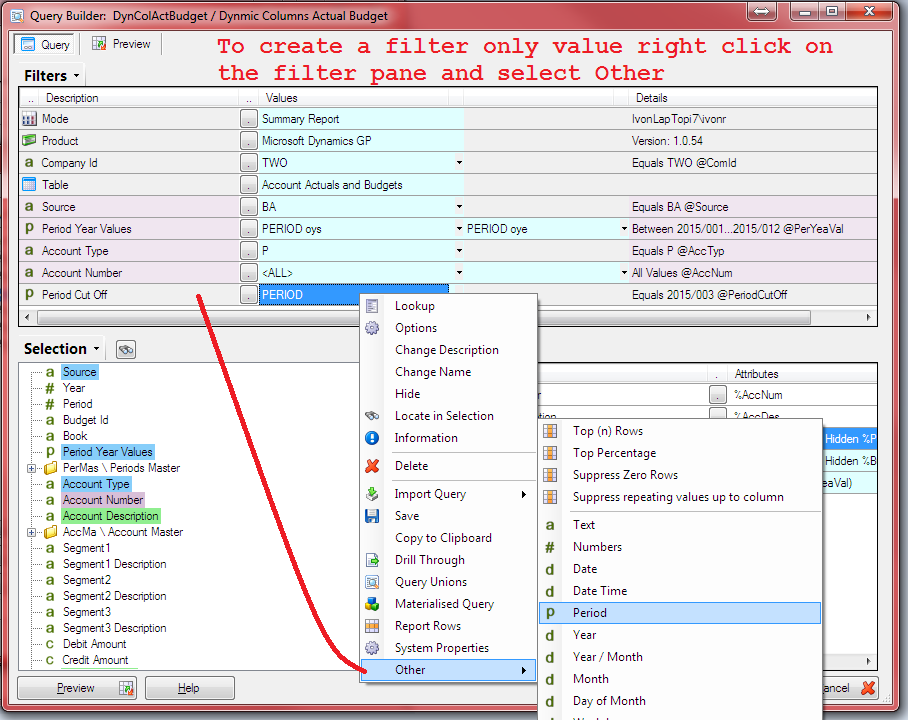
Create a Filter Only value that will not directly affect the Report but is used just to control the switch in the Expression later
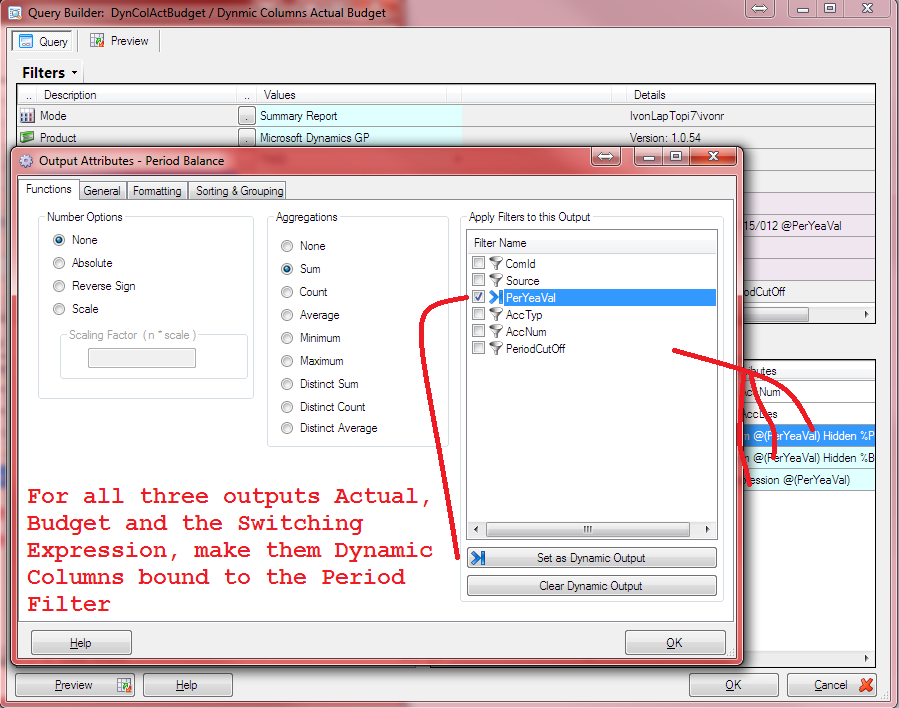
Create the Dynamic Columns
Create the Exprssion that will determine which value is shown. If the Period column exceeds the cut off period then Budget is returned otherwise Actual is returned
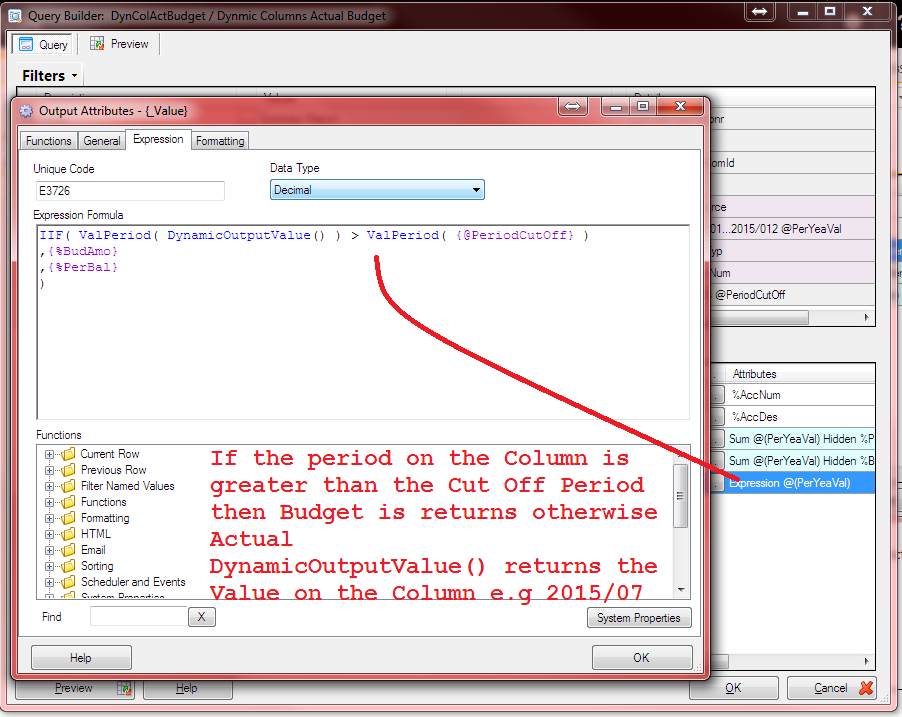
IIF( ValPeriod( DynamicOutputValue() ) > ValPeriod( {@staging-sharperlight-com.stackstaging.comPeriodCutOff} )
,{%BudAmo}
,{%PerBal}
)
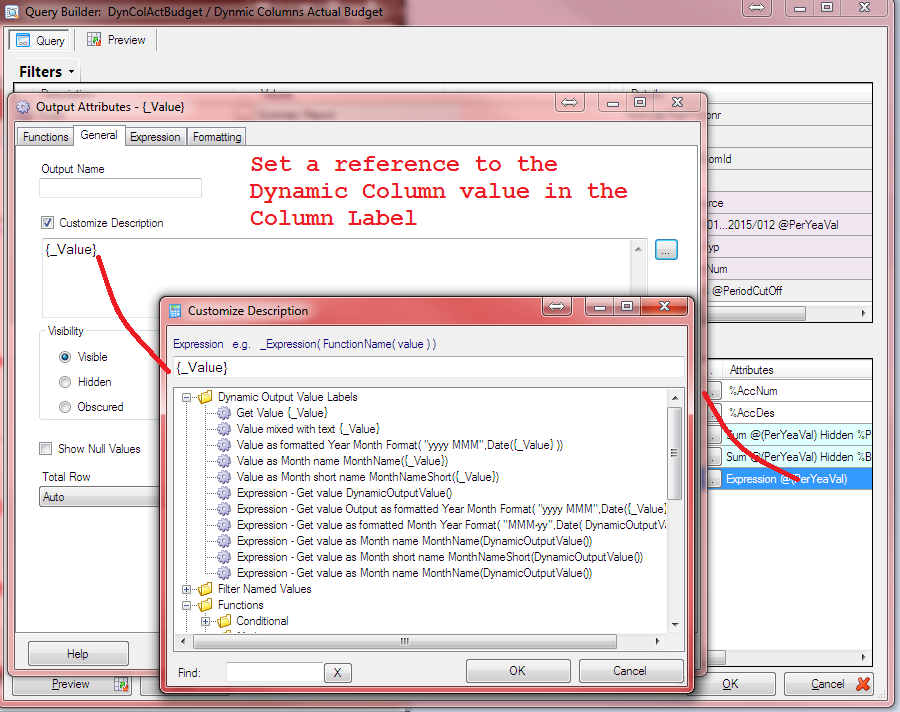
Set the Output Column Description to reference the Dynamic Column Value e.g. 2015/07