Publisher – Create Custom Gauges with JavaScript and Kendo Library
Sharperlight contains various HTML and JavaScript libraries which can referenced from custom HTML and JavaScript in Publisher. The custom HTML and JavaScript is usually placed in the Header or Footer sections of the Published Report. Usually Query Builder Output Expressions are used to place content requiring some special rendering into a Table or Grid.
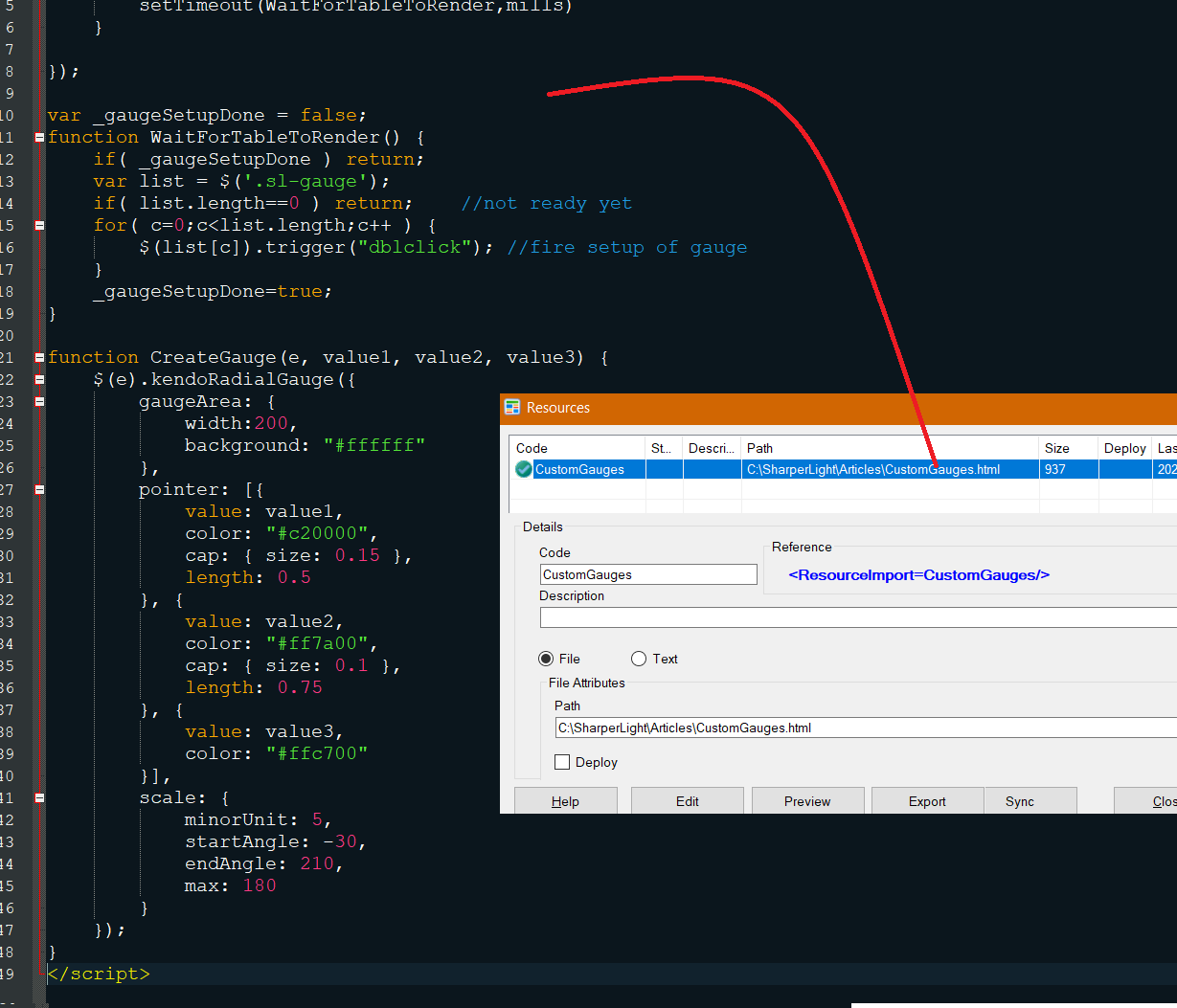
In the example a multiple pointer Radial Gauge is created using the Kendo UI Jquery Library which is part of all Sharperlight Web Reports by default. To assist in the editing of the HTML and JavaScript the file is imported and synced using Publisher Resources. In this way the file can be edited externally to Publisher and is auto-synced when clicking Apply or OK in Publisher.
Kendo Library
This example has the following logic
- All Radial Gauges have three points
- Query Builder Output Expressions have a double click event which initializes the Gauge with parameters
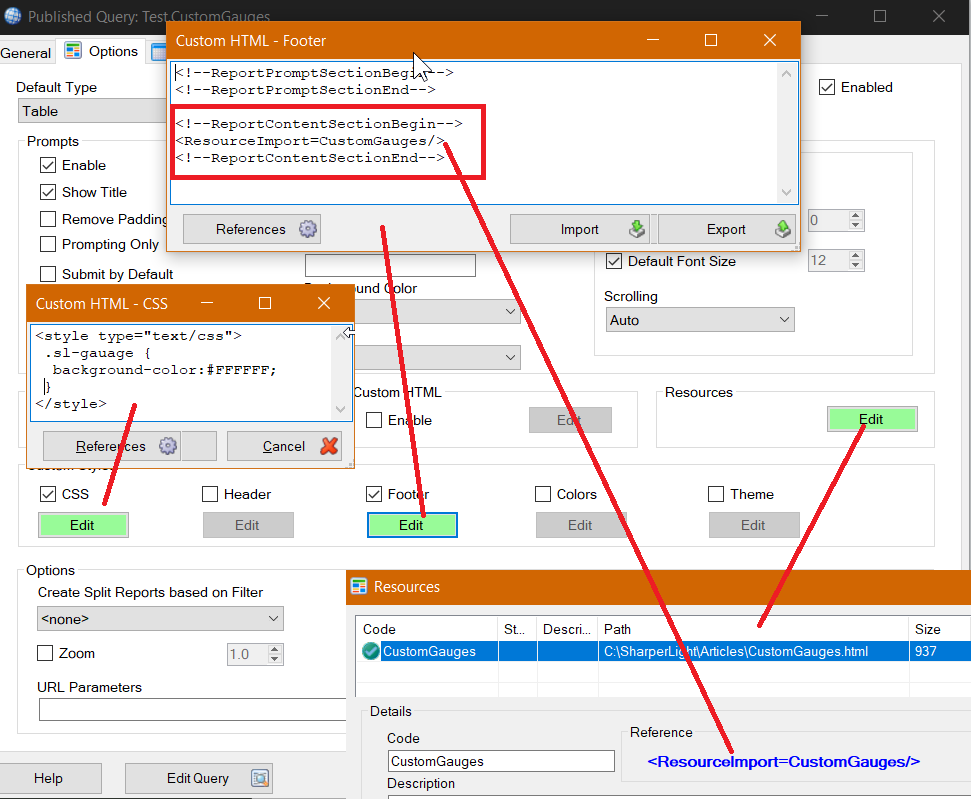
- Publisher Resources are used to import the HTML/JavaScript file and from there it’s referenced in the Header or Footer to target the report content section and not the prompt area.
- When the document is ready a timer is fired every 500 ms to see if the table has rendering and the gauge class sl-gauge is present.
- Once the table is rendered all the div elements with class sl-gauge are triggered to fire the double click event. The div element double click event has a function call to CreateGauge with the required parameters
Downloads
TestCustomGaugesWithJavaScript
Example showing Gauge and Chrome in Debug Mode

Query Builder showing data and Expression
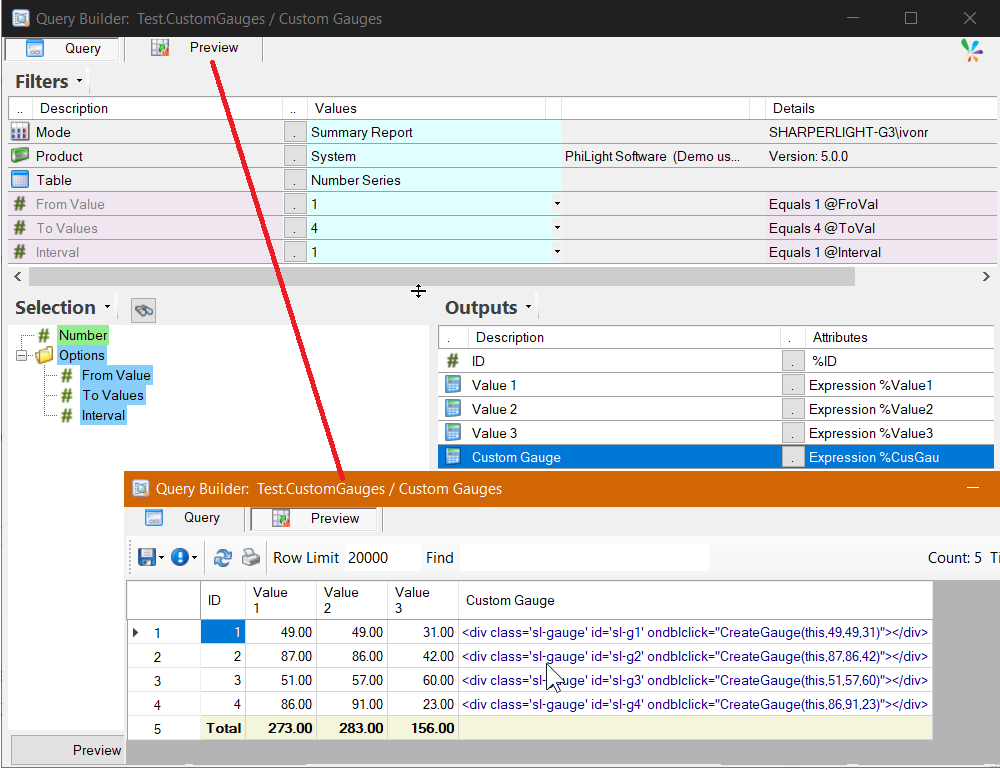
Output Expression create the HTML element with JavaScript function to create the guage

External Resource File showing HTML and JavaScript which is inserted into the Footer
Publisher showing the Custom CSS, Footer and Resource sections