
Control tag referring to the query’s output item
Introduction
When we create a custom HTML page using a published report, we may prepare some values in the query and want to pass them to the custom HTML.
In that case, we can use a control tag to reference the query’s output item.
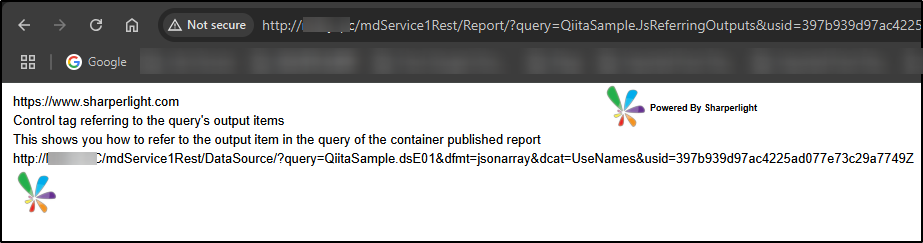
Practices
There is a HTML code which displays a table, and it has only five rows in a column.
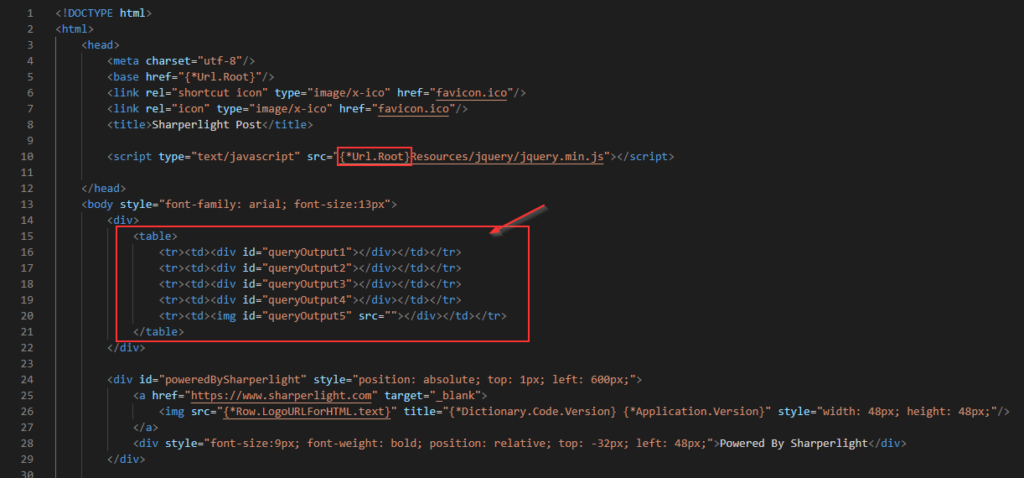
Note: JQuery is used in this script, and you can see that the jQuery library is referenced in the image above. The jQuery library is bundled with Sharperlight.
When the page is loaded, the script is triggered, displaying the values passed from the query in the table.
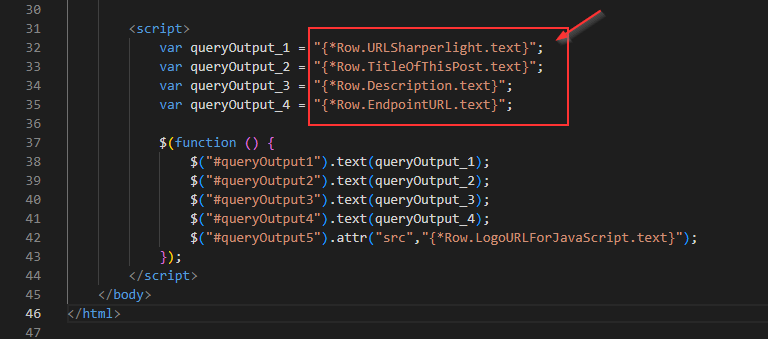
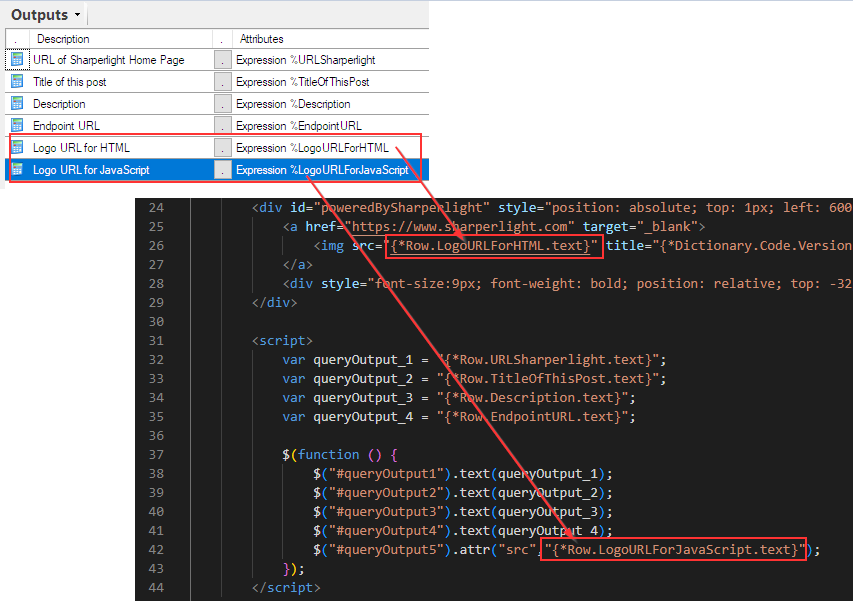
The area surrounded by the red line is where the value of the query output item is passed. {*Row.<<the name of output item is here>>.text}
At runtime, values are passed to these global variables by replacing the control tags with their corresponding values.
- {*Row.URLSharperlight.text} refers to the output item named “URLSharperlight“.
- {*Row.TitleOfThisPost.text} refers to the output item named “TitleOfThisPost“.
- {*Row.Description.text} refers to the output item named “Description“.
- {*Row.EndpointURL.text} refers to the output item named “EndpointURL“.
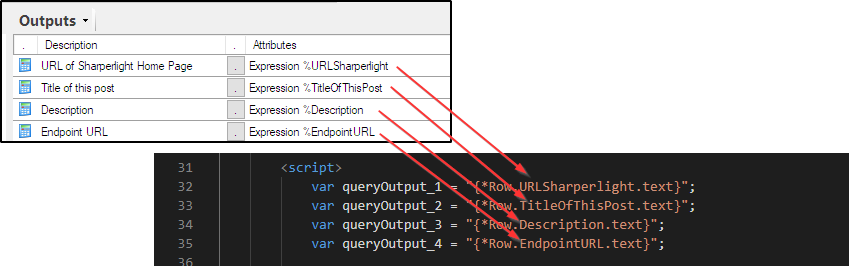
At runtime, they become like this;

Then those two output items are directly used here.
Afterword
This is useful when values need to be passed from the query in the published report to the custom HTML.
The name of the output item is used in the control tag.
Please note that the query should be designed to return only one row, as only the first row is considered valid.
The query can be designed to return multiple rows, but doing so may result in poor performance, as only the first row is considered valid and the other rows are ignored.