Expression functions help and general guidelines
Sharperlight expressions are useful to perform various mathematical, statistical, and logical operations on query filter and output values. Generally these expressions will be calculating numbers, dates or doing text grooming like combining a first and last name. However expression can do a lot more than this. The following is a summary of the types of functions expressions can perform.
- Mathematical, statistical, and logical operations
- Text grooming and manipulation
- Date and Time calculations
- Encoding and Decoding Data
- Formatting data
- Conditional formatting of report colours and style
- Display Icons and Images
- HTML
- JavaScript
- Raise Windows Event Log
- Send Emails
- Language Transactions
- Get online Web Content and API data
- Geo Coordinates
- Google Maps
- Create Report Statistics
- User details and Security
Expression Online Help
Overview of Functions
Sharperlight Expressions use functions in a similar way to how Excel uses functions in that you have a function name and parameters. For example Excel has a function call Mid which gets a section of the text and Sharperlight also has a Mid function which does the same thing. However there are some differences in functions, for example Excel has a IF( condition, true, false ) function while Sharperlight has IIF( condition, true, false ). In addition there are many more functions in Sharperlight that do not exist in Excel. In general the function names are modelled on what you would see in VBA or VB.NET. So if you are familiar with these languages then you will find almost all the function names and formatting parameters work the same way.
Referencing Filter and Output Values in Functions
The functions will generally take output values or filter values and do some sort of calculation on them. The output values can be referenced by their name like this {%OutputName} and the filters values can be referenced by their names also like this {@staging-sharperlight-com.stackstaging.comFilterName}. The previous rows values can also be referenced for when you need to do things like accumulative totals. If an Expression is referencing the result of another Expression then you will need to make sure the is below the expression it references in output list. With regards to Output Sub Query results, all Output Sub Queries are calculated before any expressions, therefore output expressions cannot be used as filter parameters of an Sub Query. In these cases you would need to place a inline expression _Expression( ) Sub Query in the Sub Query Filter.
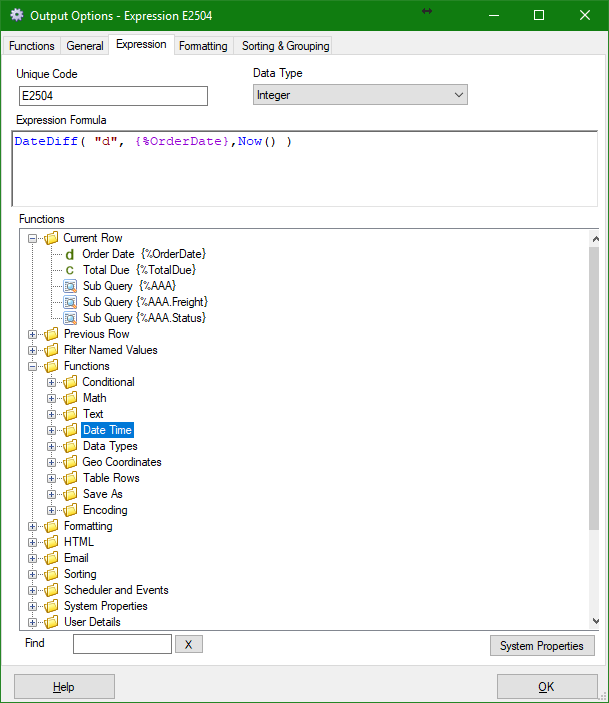
This screenshots shows a function called DateDiff that is returning the number of days it’s been since the Order Date
Using the online Expression Help
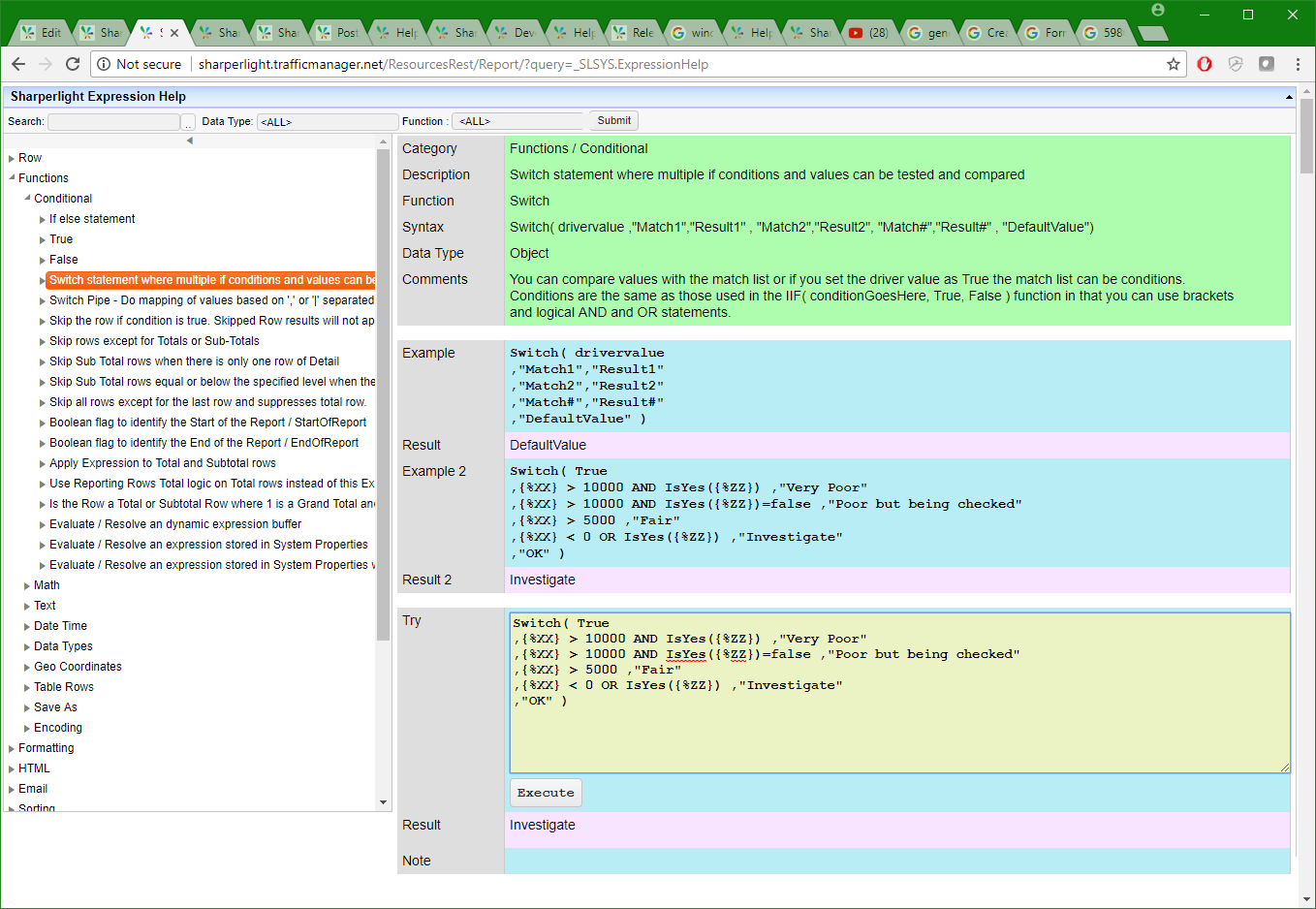
You can search and explore the expressions in the navigation tree. When you select an expression the details will appear on the right had side online with examples. The examples can be modified and executed in the yellow section.
Expression Online Help
Testing Expression Results Online
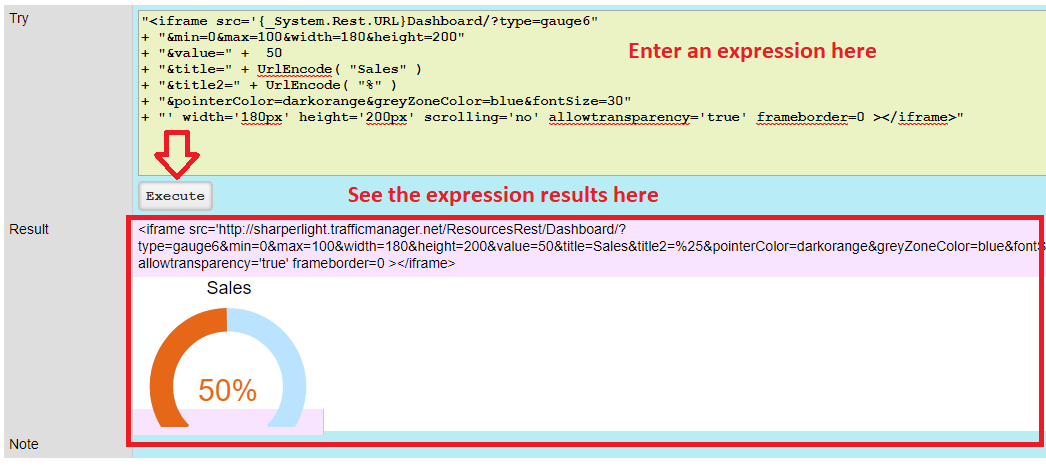
In the Try yellow section you can copy and paste expressions and modify and execute them to better understand how they work and their results. The function parameters will need attention as the Filter and Output values are not known in this mode. Simply replace any reference to a filter or output with a constant. If is not possible to test all types of function as some of them require a full query data set to work but most of them will work in this mode.
This his example one of the HTML gauges is tried out and you can see the resulting HTML and also the rendered HTML.
Expressions in Filters
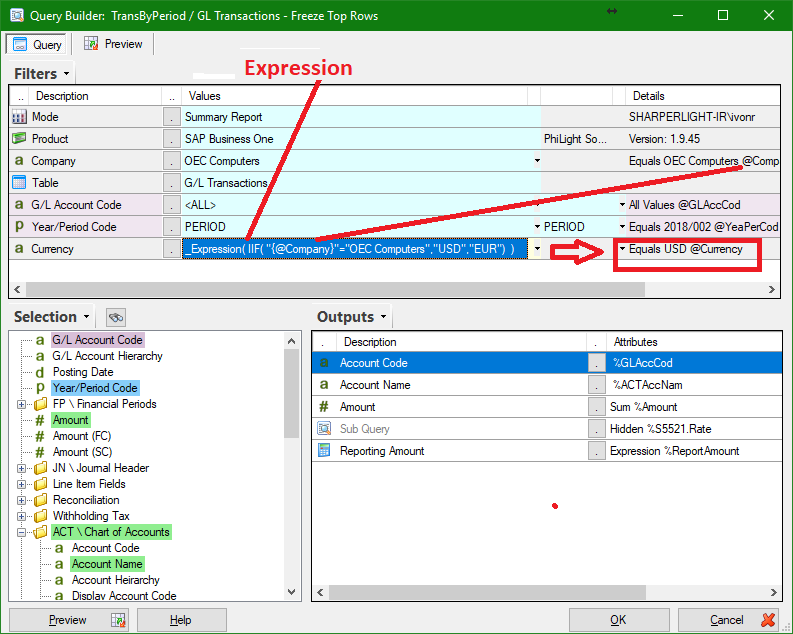
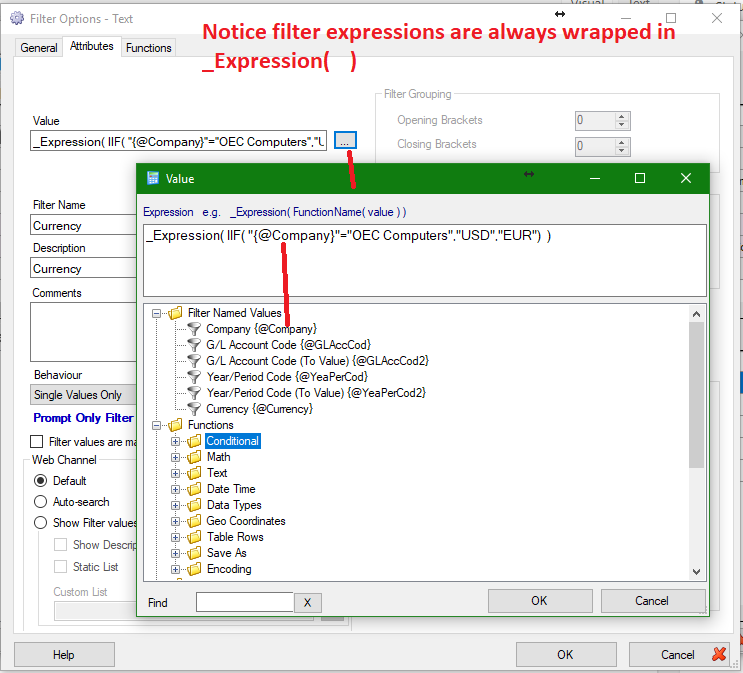
Expressions can used to calculate filter values by using the prefix _Expression( instead of usual filter values.
In this example the Company selected feeds an Currency selection expression that sets it to USD or EUR depending on the company selected. If you are Publishing this to the Browser you would normally hide the Filter expression.
Expressions in Output Descriptions
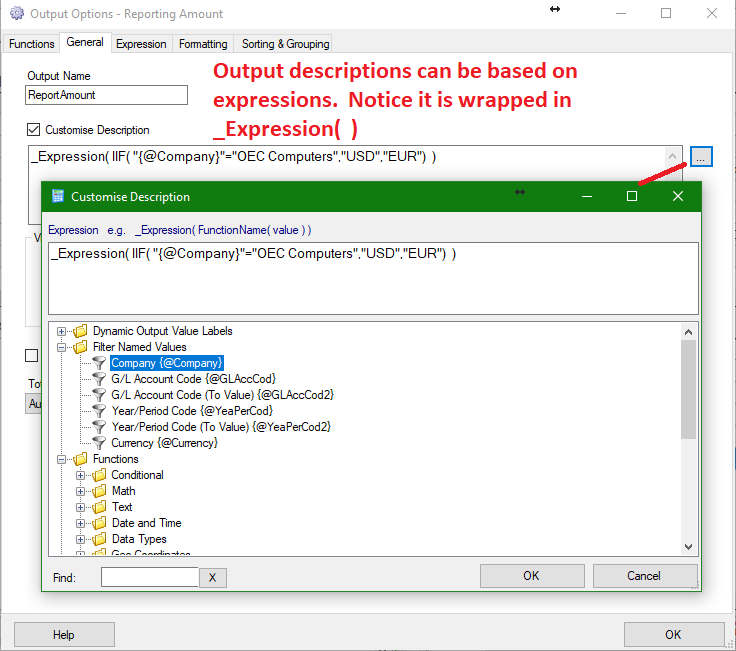
Expressions can used to calculate output descriptions by using the prefix _Expression(
In this example it will dynamically change the Currency in use depending on the Company selected in the filter section.