
Prompt Only Filter
Introduction
The Prompt Only filter is one of the options to determine the behaviour of the filter.
The filter with the option applied won’t be used in the WHERE clause.
Practices
Let’s see how the option works here.
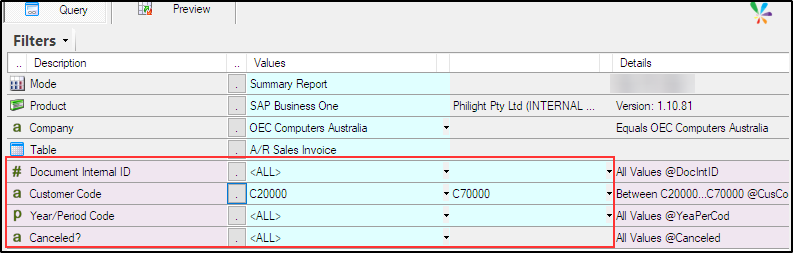
The filter defined in the Query Builder is normally translated into a WHERE clause at runtime by the Sharperlight Engine
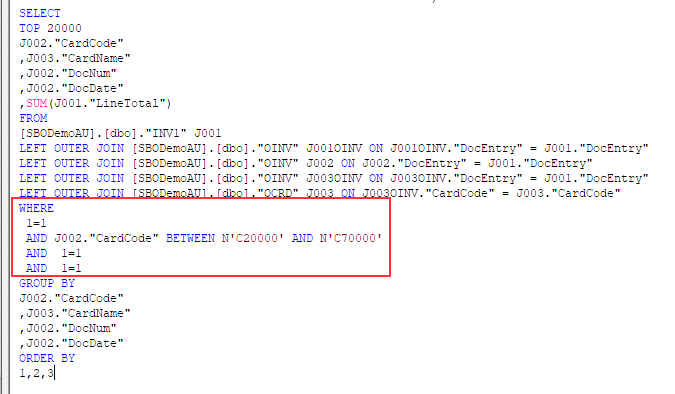
The generated WHERE clause is like this.
Note: <ALL> is translated as 1=1.
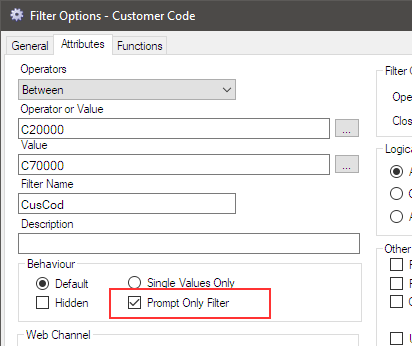
Now let’s have a look Prompt Only Filter option.
Double-click the Customer Code filter to open the filter options dialog, then tick the Prompt Only Filter option.
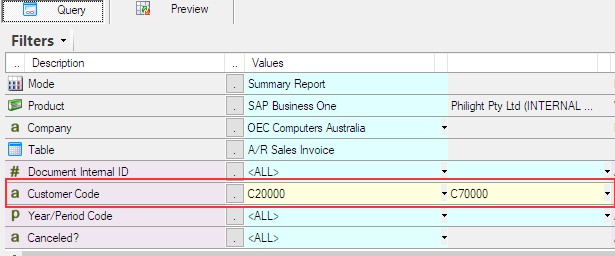
Save the changes. The background colour for the filter set as Prompt Only is changed to light yellow.
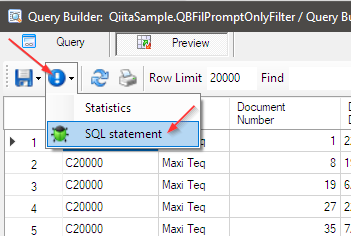
Preview it to check the generated SQL statement, you can see the generated SQL statement from here.
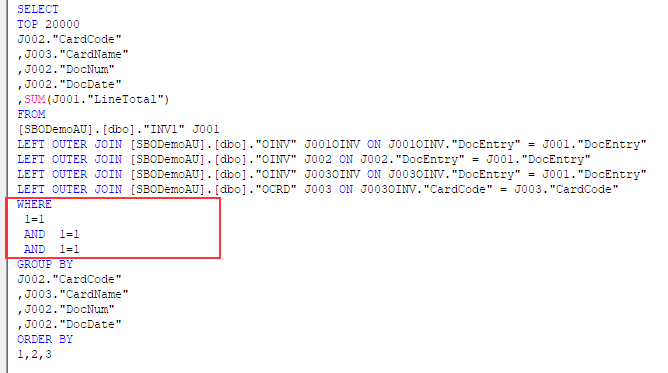
The generated SQL statement is like this, and you can see Customer Code filter is not there.
Purpose
When debugging
When you create a query, you typically work while viewing the results. Sometimes, you may want to temporarily remove a filter from the WHERE clause to view the results, even if the filter is ultimately necessary. In such cases, instead of removing the filter, enable the Prompt Only Filter option, view the results, and then disable it again without having to redefine the filter. This is especially useful for filters with complex definitions.
Indirectly as a filter
This is when it is used as an argument. If you want to use a value passed to the query from outside to derive values for other regular filters, use the Prompt Only Filter option as a filter that acts like an argument.
Passing value to query outputs
This is also used as a query argument. Pass a value to a filter defined as a Prompt Only filter, then output that value as an output item or use it to perform a calculation and output the result.
Predefined filters
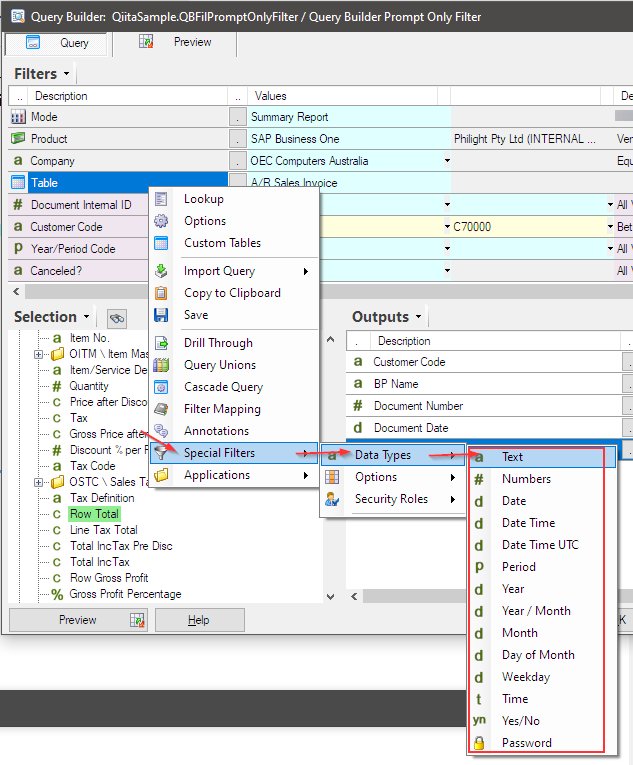
You can use existing fields in the selected table as Prompt Only filters, and there is also a set of predefined filters available to use as Prompt Only filters.
Predefined filters are useful when the selected table does not have a field of type DATE, for example, but you want to use a DATE field as a Prompt Only filter.
Afterword
By using the Prompt Only Filter, the range of query definitions can be significantly expanded.