
Checkbox Filters
In Query Builder, you can change filters to behave as a checkbox.
The checkbox behaves in a similar way to a Yes/No filter, but allows you to define your values for when the checkbox is checked or not.
The checkbox should be used like a prompt only filter, and created using the “Other>”Text” functionality.
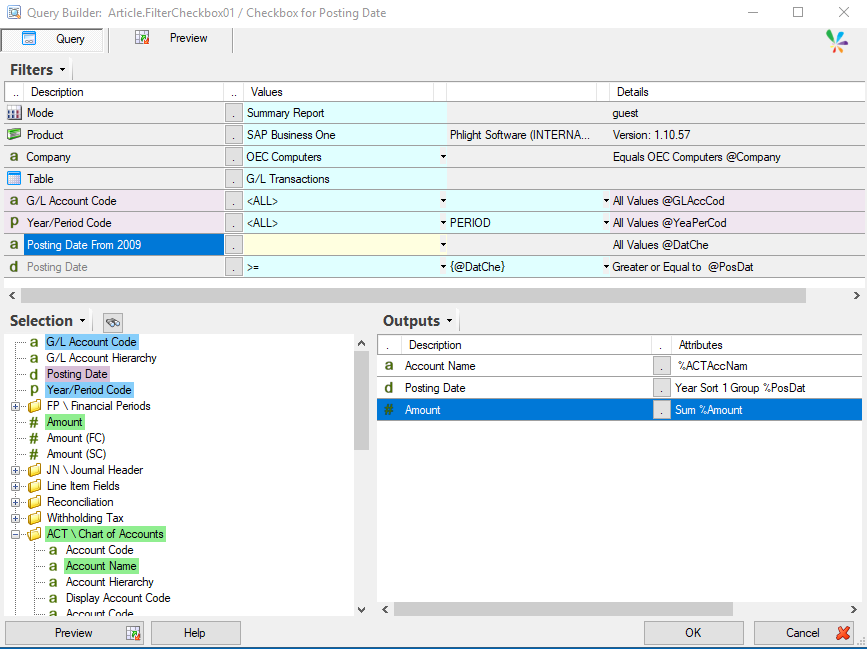
Below, is a sample report looking at the G/L Transactions Table, and added to the filters is “Posting Date”, and another filter by the “Other”>”Text” functionality and then had the description updated to “Posting Date From 2009”.

The filter you then created can be changed to be a checkbox filter through the options.

Tick the checkbox option. Then you can define what you checked and unchecked values pass for the filter.
For our example, our sample data has Posting Dates existing only between 2006 and 2012.
Considering this, our Posting Date filter wants to pull everything greater than a variable date, and does so by having it’s From value set to “>” and then To value set to the checkbox filter value {@DatChe}.
This report was run in 2023, so we’ve set the checkbox to do either “DATE -14y oye” or “DATE -12y oye” to make the Posting Date filter do > | 2009 or > | 2011.
You could use this with dates or periods to do something like set the report to run for the current year/month/week, and the checkbox sets it to filter on the previous year/month/week.
Here is what the Query looks like in full:
In the web the report can look something like this:
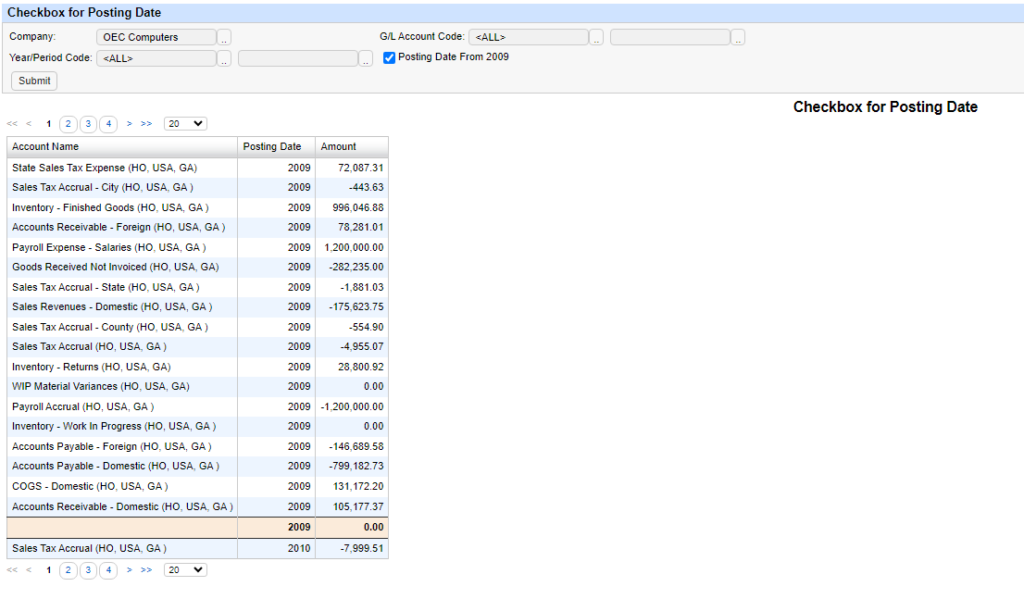
When the checkbox is checked, the dates return starting from 2009.
When unchecked they begin from 2011.

Another example to demonstrate is to pass typical filter values into another filter.
For this example the Query looks at the Journal Line Table and outputs Account Names and Types.
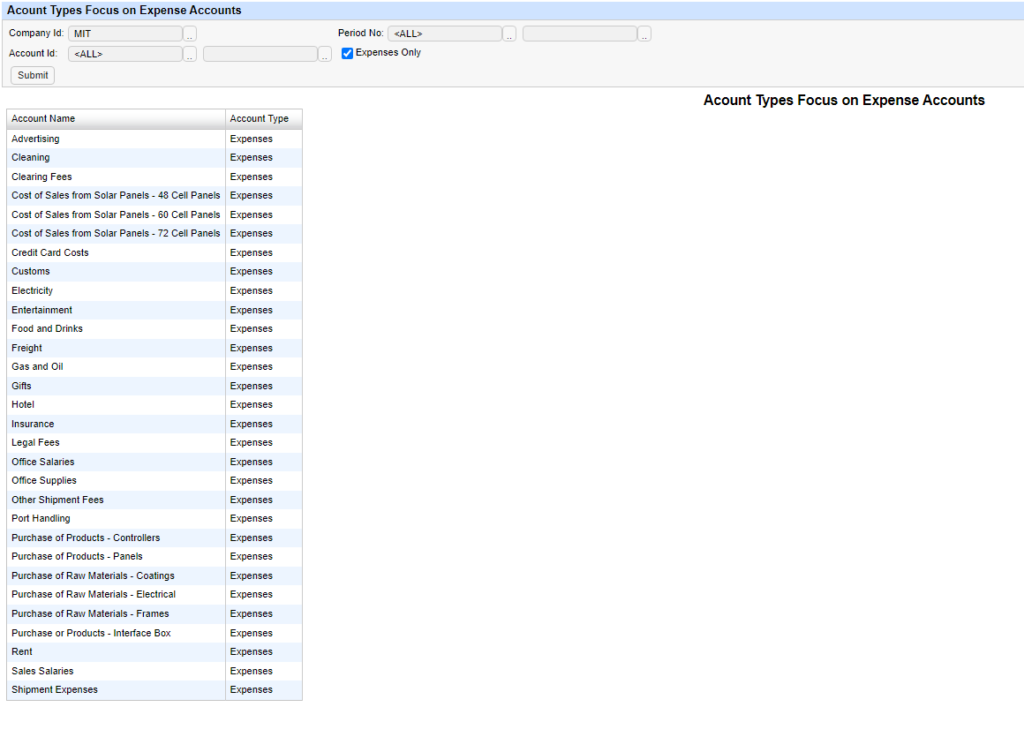
There are several Account Types, but this report has been created to look at all Accounts or just focus on Expense Accounts.
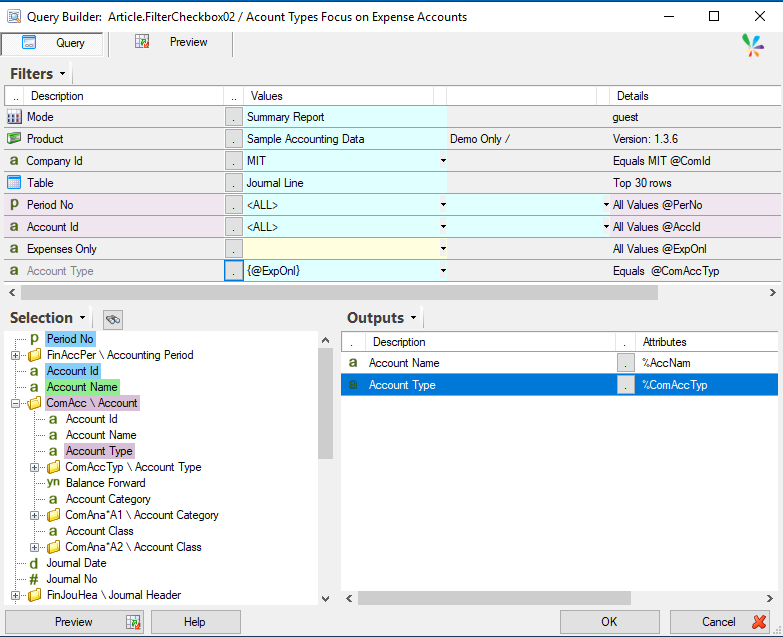
The “Expenses Only” filter is a checkbox that passes “Expenses” into the “Account Type” filter.
When unchecked the checkbox passes “<ALL>”, behaving like a default filter with no values.

Now we have a report that outputs all Account Names and their Types, but when the checkbox is checked, only displays the Expenses Accounts.
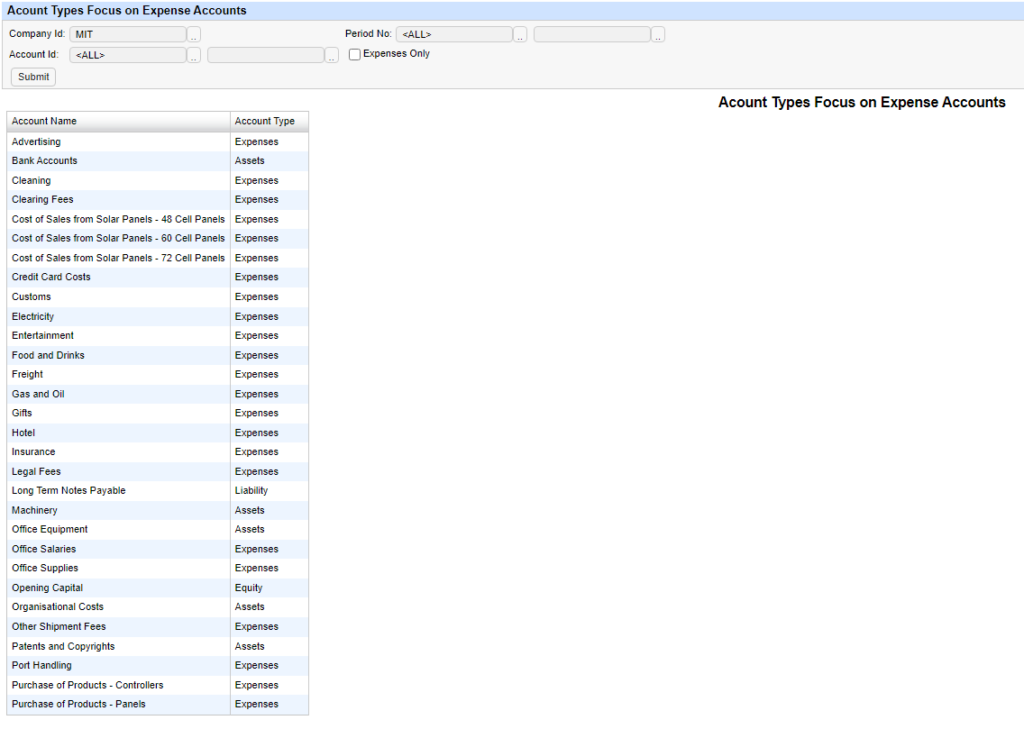
Checkbox ticked:
There are more applications for the checkbox, but know that it behaves in a very similar way to a prompt only filter, but visually performs like a checkbox.
Also you can add a comment to the checkbox for clarity.
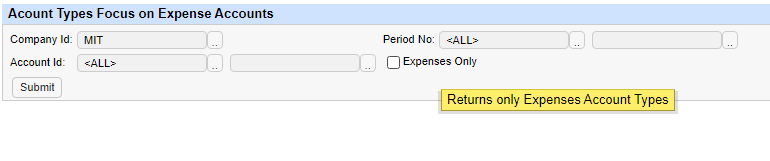
This appears when the checkbox is moused over. You can add comments next to the option to make a filter a checkbox.

Please note that the checkbox does not do anything when you preview the query in Query Builder, and is strictly for Web Channel use.
This means that it is does not do anything in Excel either.