
Cascade Query
Introduction
In this post, we’ll show you how to create a query based on a dataset prepared by a parent query — using the built-in “Cascade Query” option.
Practices
We briefly explain how to use the “Cascade Query” feature on a dataset built with a UNION query against SAP Business One.
UNION Query
SAP Business One is designed as a multi-company system where each company (business entity) resides in its own separate database schema (even within the same SQL Server or HANA instance). This separation ensures data isolation, security, and compliance, but it makes cross-company reporting and consolidation more complex in native tools.
Sharperlight addresses this elegantly through its Datamodel and the special “Company” super field.
In this post, we demonstrate how to consolidate data across multiple companies using a UNION query.
The following image shows the UNION query with Sharperlight Query Builder, there is “Company” super field in the Filters pane.
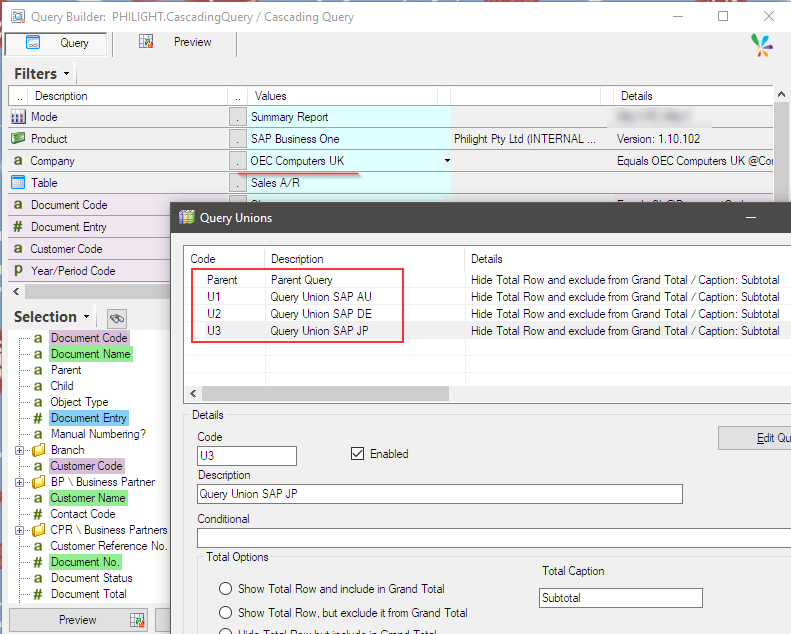
There are 4 queries make up the UNION query, and the query “OEC Computers UK” is chosen is the parent(1st) query.
Then U1 is for “OEC Computers Australia“, U2 is for “OEC Computers Deutschland” and U3 is for “OEC Computers Japan“, they can inherit filter values specified in the parent query.
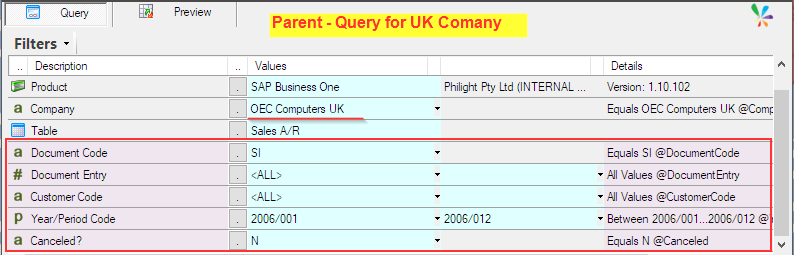
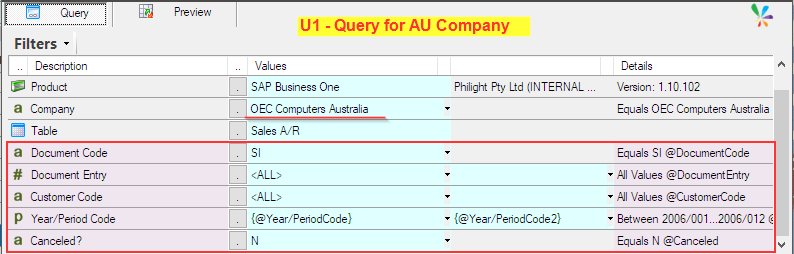
Their output fields must have the same number of fields, order, and field types as the parent query.
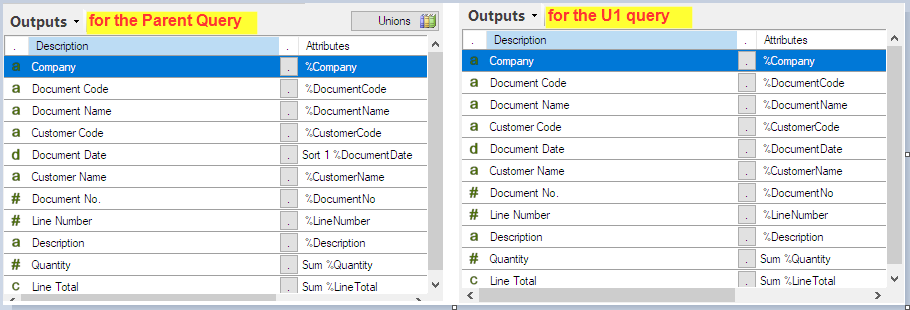
The UNION query returns the following results:
- First, the full dataset from the parent query.
- Then, appended to it, the dataset from the U1 (Australia) query.
- Followed by the results from the U2(Deutschland) query.
- Finally, the results from the U3(Japan) query.
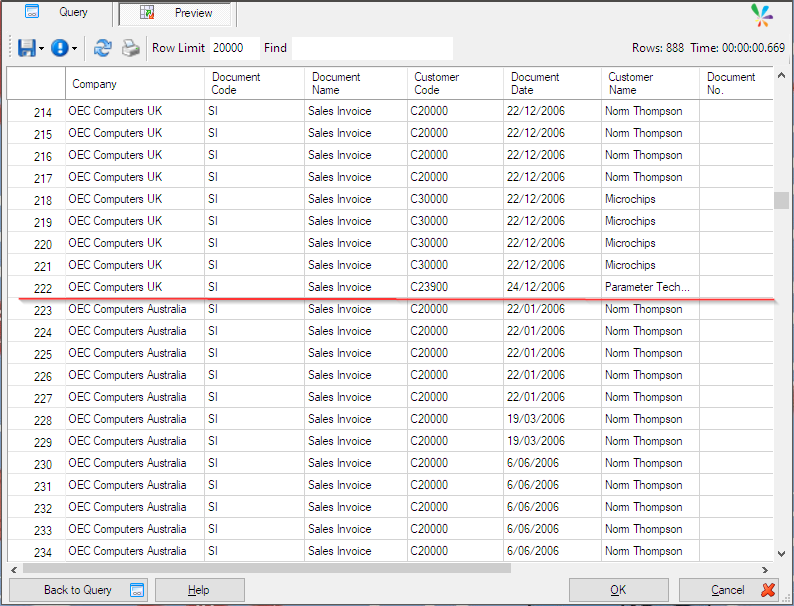
Now that we have the dataset from the UNION query, let’s take a look at the “Cascade Query” next.
Cascade Query
The UNION query has returned a dataset that consolidates the data from the four companies.
However, a UNION query simply joins the datasets returned by each query in the order the queries were defined to create a single consolidated dataset.
Therefore, if you want to sort that whole consolidated data set by Document Date, the standard functionality will not work.
In that case, “Cascade Query” can be used and it uses the dataset returned with the UNION query and the standard options such as sorting can be used.
Right click on the Outputs pane on the parent query to show the popup menu.
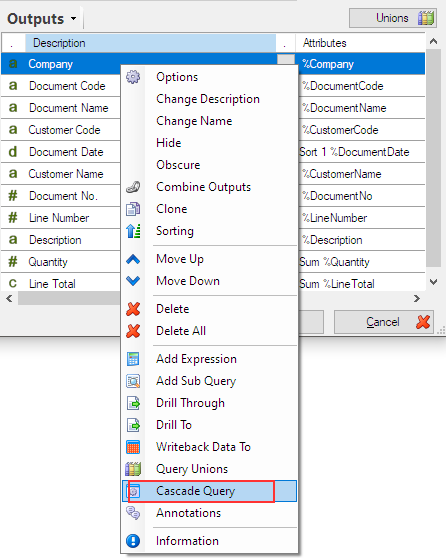
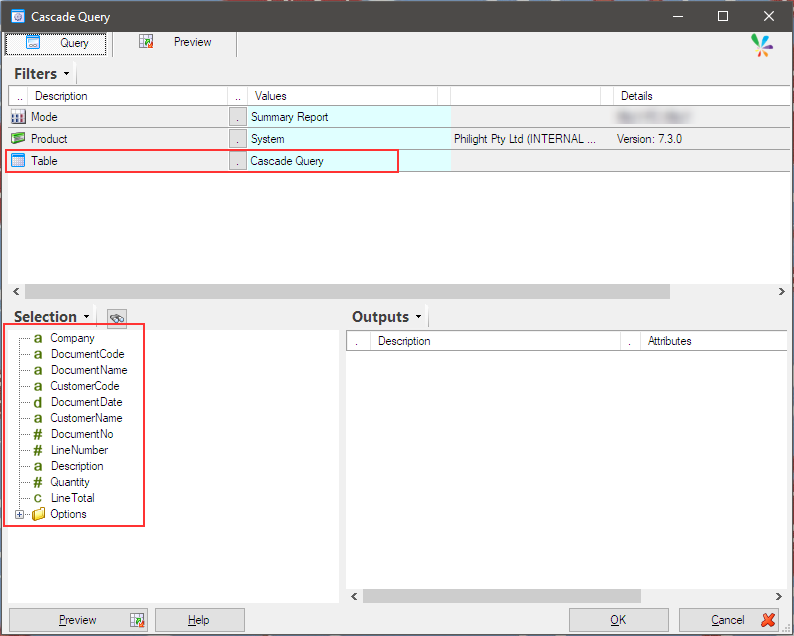
Choose “Cascade Query” from the menu. A new query definition is displayed, then we can see the selection list is populated with the dataset returned by the UNION query.
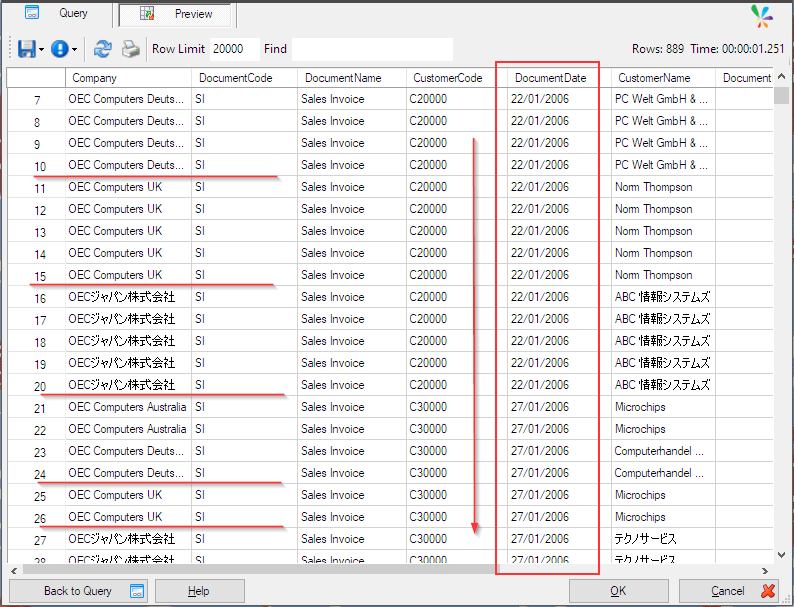
Output all fields in the Selection list and apply sorting on “DocumentDate” field.
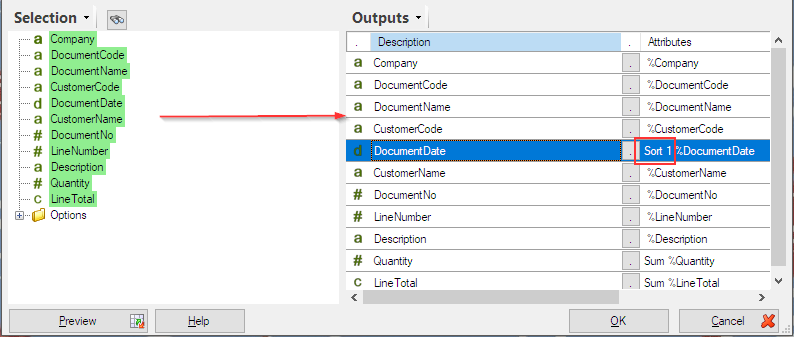
Preview the query. The result shows that the data is sorted by “DocumentDate” regardless of which part of the UNION query it came from.
Afterword
We used a UNION query to prepare a dataset, but this is not the only way to prepare a dataset when using “Cascade Query”.
“Cascade Query” can be used when you want to derive a final result by performing some operations on the dataset which you gather from a single data source or multiple data sources.
Sharperlight Materialized Query gives you the same method but it create a database and the tables in it, and you can query for the database.
When the amount of data is large or the query takes a long time to execute, a Materialized Query is usually recommended.