
Expression: IsLike
Introduction
I will introduce a Sharperlight Expression “IsLike“, which works similarly to the “LIKE” operator in SQL statements.
Practices
I prepared a query that returns the result like this.
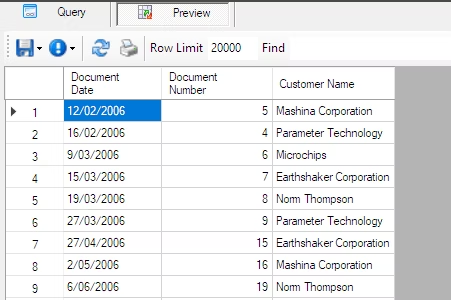
Let’s define an expression that searches for records where the Customer Name contains the word ‘Corporation.’
Go back to your query definition and add the expression.
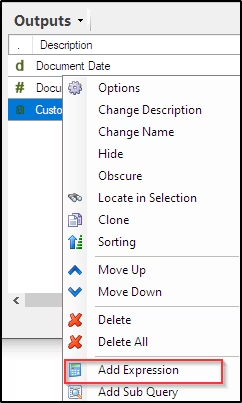
Right-click in the output area and select “Add Expression”.
Enter like in the Find field of the Expression tab.
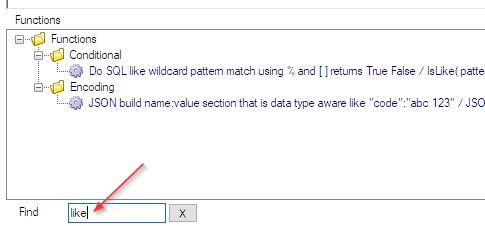
Select Do SQL like wildcard ~ in the Functions list and double-click it.
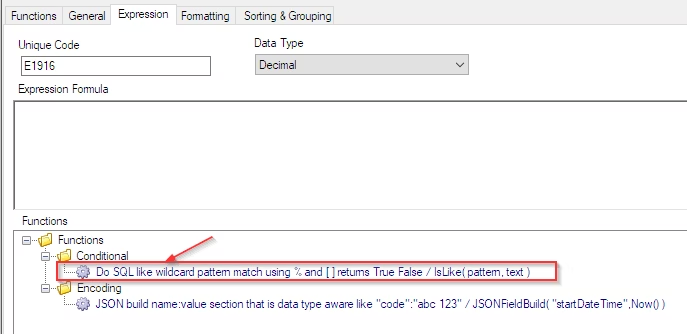
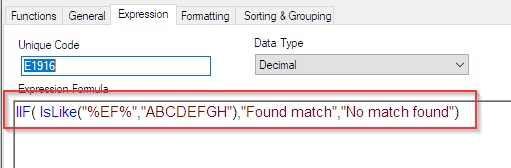
The template is displayed in the Expression Formula text box.
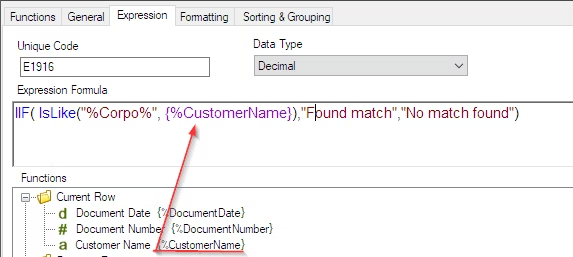
The first argument of the IsLike function is the search pattern, which in this case is ‘%Corpo%’. The second argument specifies the search target string. Here, I want to search within the value of the Customer Name field, so enter the reference name {%CustomerName}.
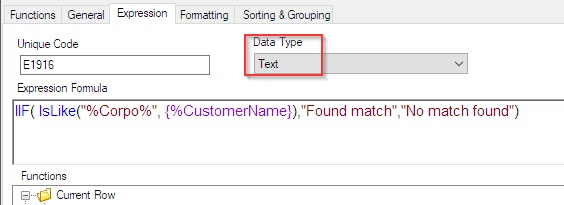
Finally, set the Data Type to “Text”.
Now, let’s run it with the Preview button.
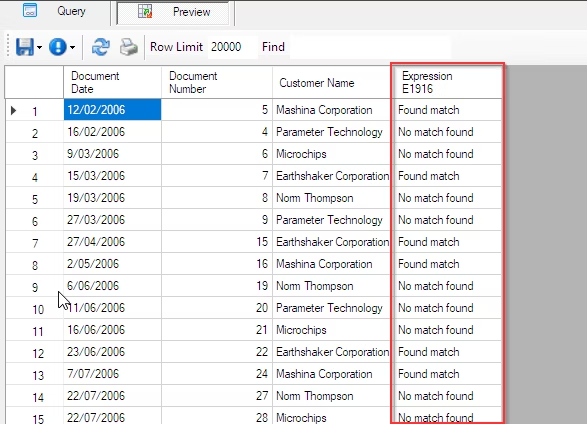
Found match is displayed when the Customer Name contains “Corpo“.
Afterword
I believe this can be used in various ways in combination with other functions.
I hope this helps with your work.