
Not Able To Edit Cell Reference
Issue
In excel when using either the writeback screen or query builder and editing the field that has a cell reference will instead have the cell in excel editted.
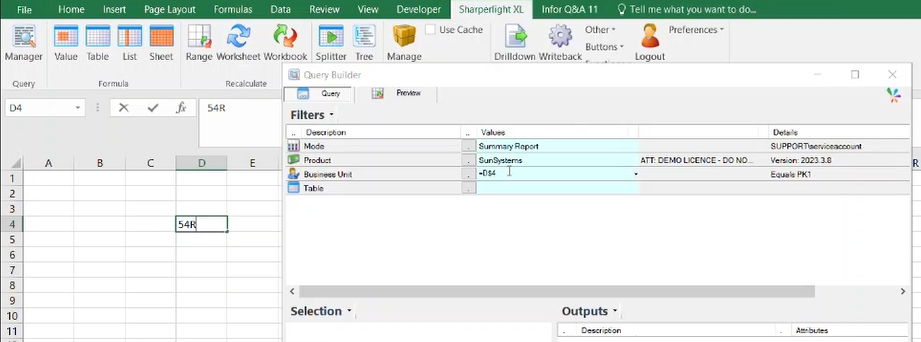
Here is an example where in query builder, the filter is referring to D4.

When trying to edit the filter value, instead it writes the input into the cell in excel.
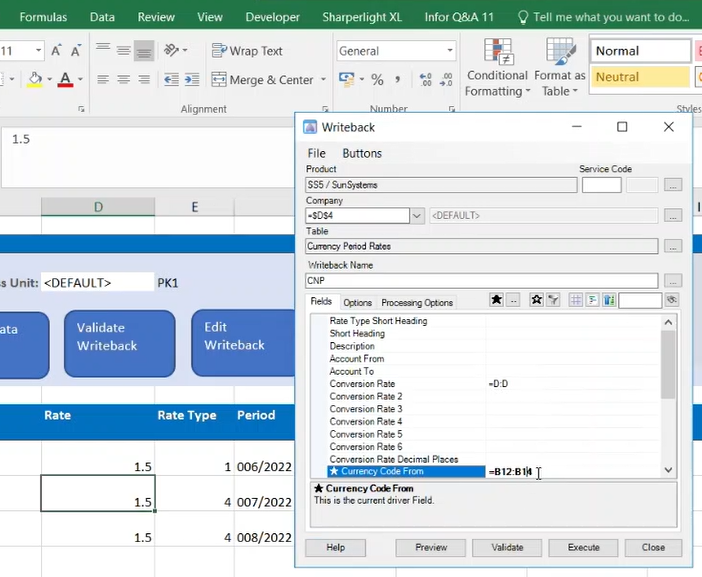
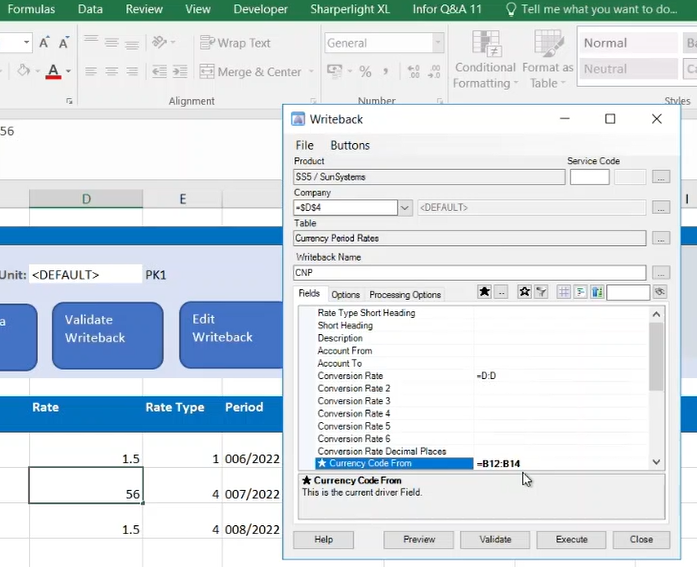
For writeback as well, we have the same issue.
Possible Cause
The clients that we have noticed this issue on have the Info Q&A v11 add in on excel.
When we have tested removing this add in and readding it back, sharperlight starts to work as intended until you close excel.
This issue affects both the 32 and 64 bit versions of sharperlight.
We wanted to make this post to let others know about this issue, because we have spent time investigating what might be causing this issue.
Work arounds
Option 1
Downgrade to Info Q&A v10 add in
Option 2
Every time you open excel, you can remove and add the Info Q&A v11 add in, which possibly be created into a macro to automate the process.