
Expression: Displaying icons in a web report (HTML + CSS)
Introduction
In the previous post, it was shown that only icons are displayed in a column of the web report.
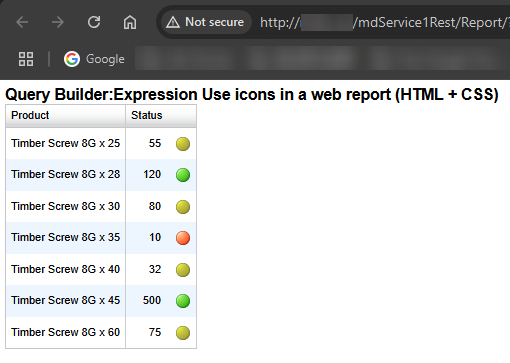
In this post, I would like to show how to display both the number and the icon together in a column.
Practices
Query Definition
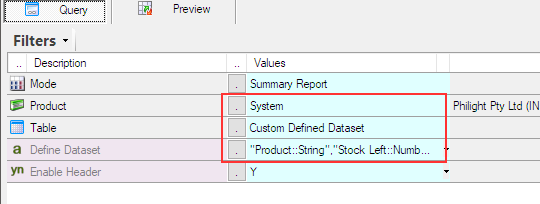
Let’s create a web report using Sharperlight Publisher and design a query like this. Since this is a simple dataset, I use the ‘Custom Defined Dataset’ option to prepare it.
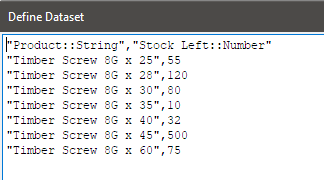
The custom defined dataset is a comma separated list like this.
This is the output definition of the query.

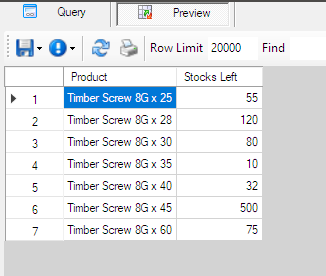
The query result, as shown with the preview option, looks like this.
Designing the expression
Use the expression from the previous post as a template and modify it so that the Table element in HTML is populated in the column.
These parts will be replaced with Table element in HTML.
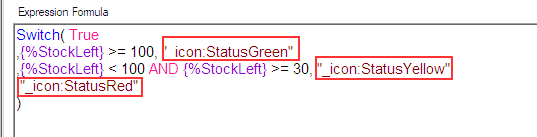
The final definition is like this. Its Data Type property must be HTML.

As you can see, it starts with the <table> tag on the first line.
<table class='StatusIconStyle'>Then, <td> in each row is defined based on the condition of the Switch function.
<td>"+Format( "#,##0" , {%StockLeft} )+"</td><td><img class='StatusIconStyleImg' src='{_System.Rest.URL}Image/?icode=StatusGreen'></img></td>{%StockLeft} is the reference name for the value in the row.
{_System.Rest.URL} is a Sharperlight Control Tag, which is replaced with the appropriate URL for the Sharperlight Service at runtime.
Click OK to save the expression.
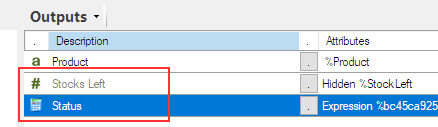
In the outputs list, Stock Left column can be hidden as its value is now displayed with the icon, also add description to the expression.
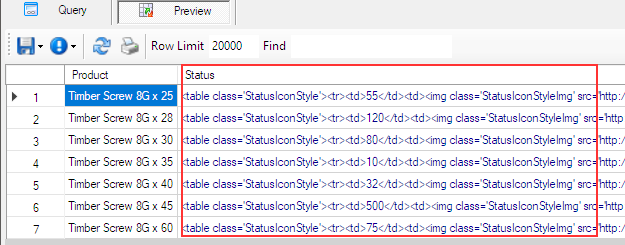
Preview the query. The preview doesn’t show icons this time and instead displays the HTML table elements.
CSS
As you can see, a couple of classes are used in the table elements defined in the expression, so they need to be defined somewhere.
They can be defined in the CSS – under the Custom Styles attribute in the Options tab of the published report definition.
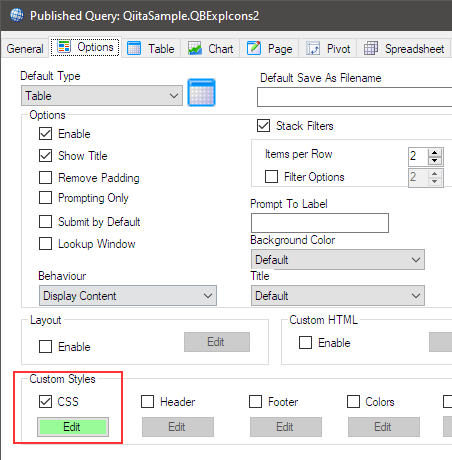
Their definitions are as follows:
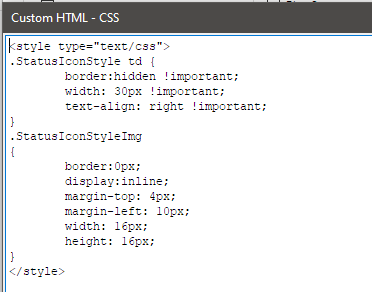
Click OK to save the report definition.
Viewing the report in a web browser
Use the report URL or select View Report from the publisher’s popup menu.
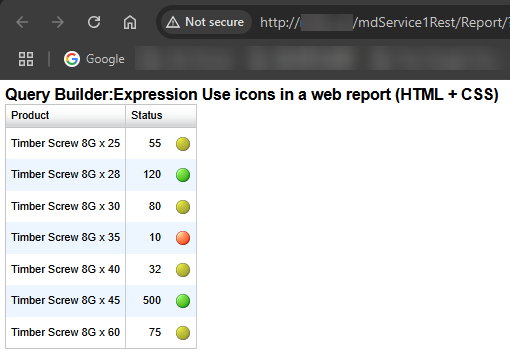
Afterword
By using HTML and CSS, I believe it will be possible to create a wider variety of reports. I look forward to seeing how you use it in your business.