
Expression: Refer to the column in the previous row
Introduction
This post will explain the expression used to reference a column in the previous row of the query results.
For the current row, please read this post.
Practices
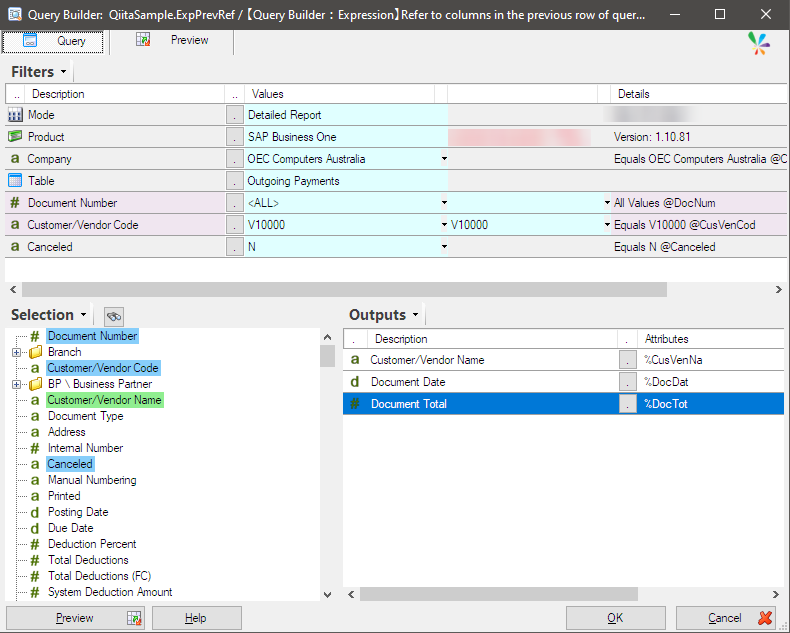
A simple query is built using the SAP Business One datamodel.
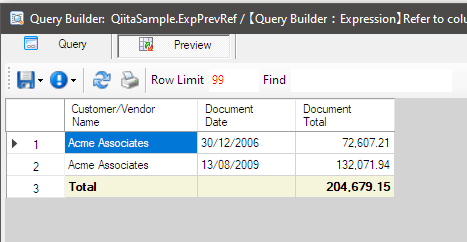
It returns this dataset.
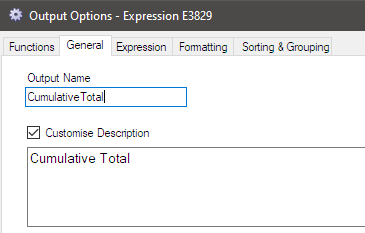
Now, I add an expression like this, give it a name, and click OK to save it.
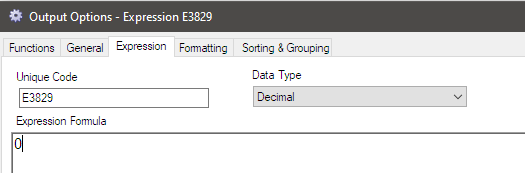
Reopen the expression and write the logic to calculate the cumulative total.
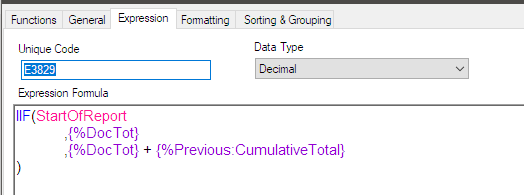
The logic starts by identifying whether the current row being processed is the first row of the query result, as it doesn’t have a previous row. The Document Total in the first row serves as the initial value for this expression.
If the current row being processed is not the first row, add the Document Total from the current row to the value of this expression in the previous row.
The expression would be like this. StartOfReport function returns True if the current row being processed is the first row; otherwise, it returns False.
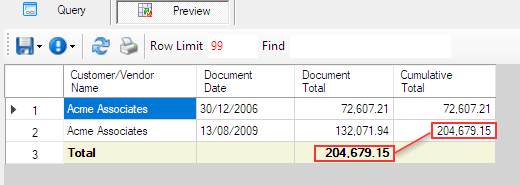
Now for the preview! The expression returns the cumulative total as shown.
Afterword
This is just an example and not practical, but I hope it helps with your work.