
Resources with Foundry – Specifying the target data entry method
Introduction
In the post “Resources with Foundry” I mention how to use imported resources and we see they are applied to the standard Sharperlight Data Entry Form. (Adding an extra grid entry on it)
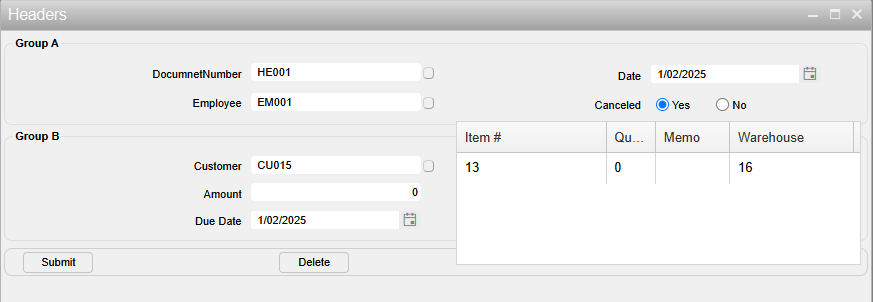
The syntax is simply like this:
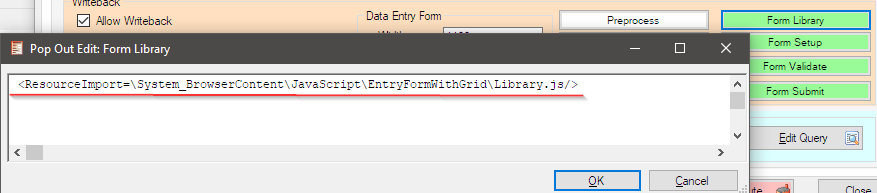
However, Sharperlight offers two types of standard data entry methods:
- Data Entry Form
- Grid Entry
The syntax applies the JavaScript code to both methods as default.
The JavaScript code I prepared was designed specifically for the Data Entry Form, so it appears awkward when it is applied to the Grid Entry in this manner:
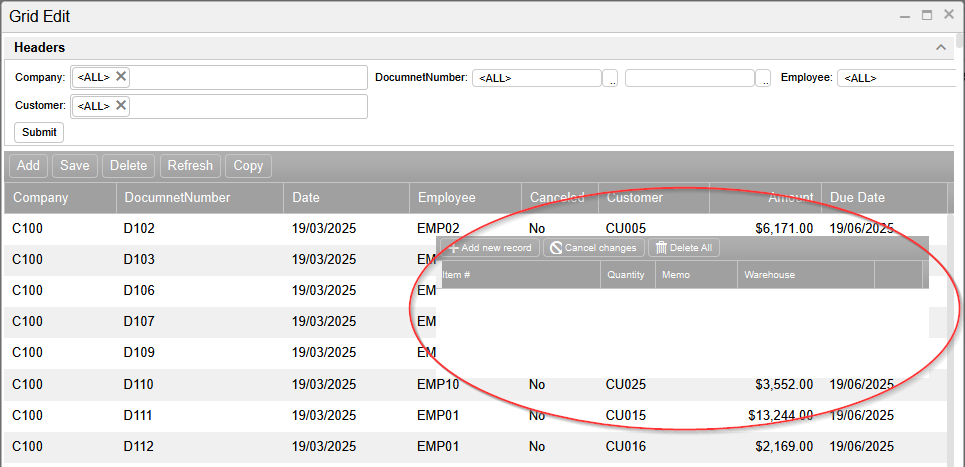
Let’s explore how we can apply this code to a specific data entry method.
Practices
It’s quite easy, as the popup comments for the ‘Form Library,’ ‘Form Setup,’ ‘Form Validate,’ and ‘Form Submit’ buttons indicate.
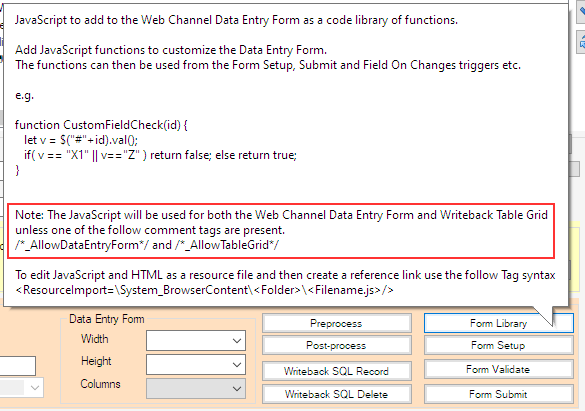
We can use one of following comments:
/*_AllowDataEntryForm*/
/*_AllowTableGrid*/
Afterword
Sharperlight Foundry provides numerous useful functionalities when building your business applications.