
Security Best Practices and Compliance
Sharperlight has a number of security features such as Data Encryption, Windows Authentication, Azure Entra ID, LDAP, 2FA, Whitelisting, Auditing and SSL support. However to comply with the best security practices the correct configuration of Sharperlight should be selected when setting up an Application Server. For example when dealing with private data on the public internet you would not configure Sharperlight to use http but rather Secure Sockets Layer SSL https. Also if Windows Single Sign On is required via the Web Channel you should not use Basic Authentication but rather Windows or NTLM. Sharperlight undergoes regular PEN penetration testing.
This article highlights some of the different security features in Sharperlight and also how to best setup a secure environment.
Technologies:
- Microsoft Dot NET 4.8 framework
- Windows Communication Foundation WCF
- Windows Presentation Foundation WPF
- Windows Forms WinForms
- ADO.NET – ActiveX Data Objects
- Encryption MD5, Triple DES, SHA1, SHA256, SHA384, SHA512
- Secure Sockets Layer SSL
- Google Authenticator for Two-Factor Authentication
Security Features:
Sharperlight User Credentials
- Sensitive credentials held in the Sharperlight database are encrypted using Triple DES. Salt and other attributes are used to ensure that the same encrypted hash does not appear twice even for the same passwords.
- User Account credentials have record encrypted hash keys to prevent record tampering. Accounts will be auto disabled if any details are modified outside of the Sharperlight Application.
- Support for Windows Domain user accounts. This means that user authentication is done through Windows and Sharperlight does not store or maintain password details.
- Support for LDAP user accounts. This means that user authentication is done through LDAP and Sharperlight does not store or maintain password details.
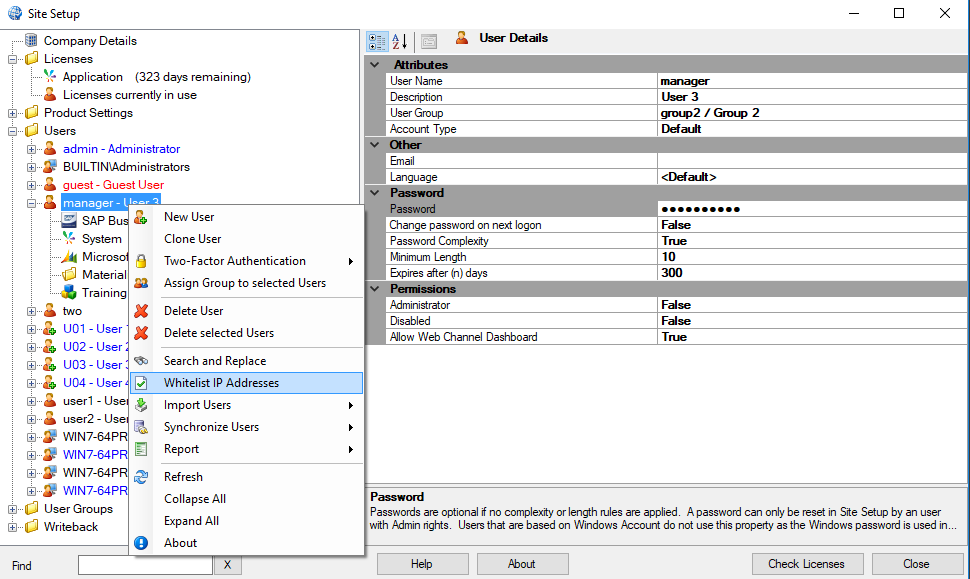
- If Sharperlight user account are used instead of Windows or LDAP then password complexity, minimum length, expiry days and change on next logon are supported.
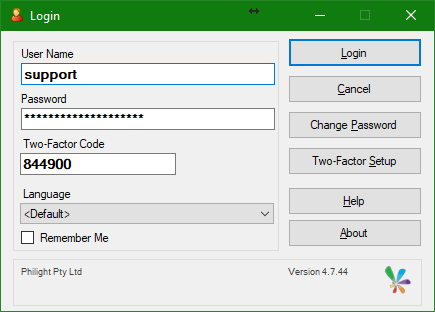
Application Login
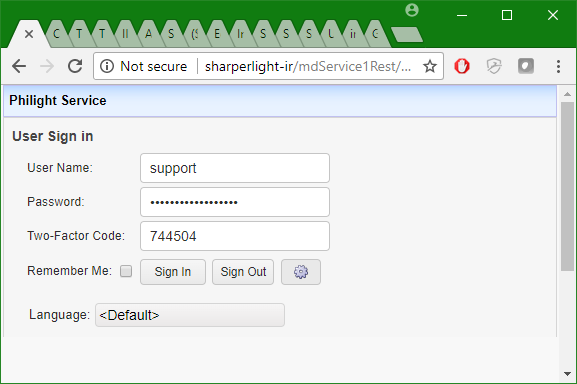
Web Channel Sign-in
Site Setup User Settings
Maintenance of User Accounts
- If Site Setup is setup to use Windows Domains Users or Groups then the maintenance of these accounts can be keep in Active Directory. This is true when Windows Groups are trusted in Site Setup. One can add and remove users from the Group in Active Directory externally to Sharperlight Site Setup. If a user belongs to more than one group then their permissions are merged.
- Site Setup can sync it’s users based on some external database via the Datamodel that accesses it. If the Datamodel defines the User Table then Sharperlight case use the user and password if present for authentication similar to a sync with LDAP. The password is matched by using 20 or so hash variations like SHA1, SH256 and SHA512 etc. A DLL can also be created for full control.
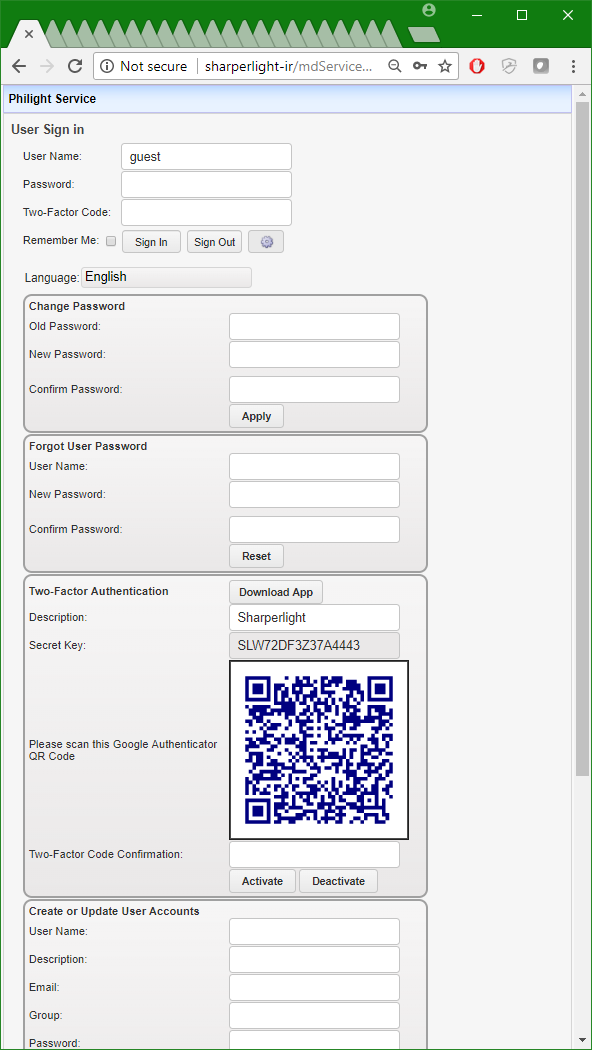
- Named Accounts based on user names, codes or email addresses is also supported. If the Service is Setup to allow it then users can not only change their password and 2FA via the Application but also via the Web Channel. There are also additional settings on the Service to allow users to create their own accounts like you see on public web sites. Password resets are supported when setup so that users can reset their password when they forget it by having the details sent to the email address
Connection Details and Other sensitive details
- Sensitive credentials held in XML files or other media are encrypted using Triple DES. Salt and other attributes are used to ensure that the same encrypted hash does not appear twice even for the same passwords.
- CRC checks base one hash keys on data to prevent SQL direct database hacking along with Audit reports.
- SQL Database connections can be using both SQL Server authentication and Windows authentication.
Web Channel / Web Service
- Uses the Microsoft Windows Communications Foundation with support for the follow protocols TLS 1.2, TCP/IP, Http and Https
- Support for Secure Sockets Layer SSL Https
- Single Sign on for Windows Domain accounts via Windows authentication, NTLM and also Basic. It is recommended that only Windows or NTLM should be used not Basic for secure environments.
- If Windows Domain or LDAP users are not used then account details are encrypted using SHA256 one way encryption
Functionality, Data and Report Access
- Object Level Security – Access to Products, Tables and Reports can be controlled at a User or Group level.
- Functionality Access can be controlled at a User or Group level in Site Setup.
- Row Level Security – Access to data is controlled at a number of levels right down to row level security if the DataModel implements this. Sharperlight Site Setup allow for user mapping so that a DataModel can implement the host application security model of the underlying system which may be a Finance or Payroll system.
- Published Reports can have access restricted to users or groups. They can also be protect by a simple access code or Two-Factor Authentication in addition to the sign-in authentication
- Writeback functionally is off by default and is only possible when the underlying Datamodel implements it. DataModel Writeback is implemented using the underlying Application approved API where required. For example SAP Business One writeback is done via the SAP DI API library which enforces all the security and validation requirements for writeback.
- The Service itself can be password protected
Auditing
- All changes to user credentials are tracked in an audit log. For example failed password attempts, password changes and the creation of new accounts.
- All logins to the system are recorded in an audit log. The details include the account details, date time, products available and the computer details from where the request was made.
- Report auditing is optional but when turned on the user details and time will be logged. This can be accessed in the System \ User Log Table in Query Builder
- Service Startups, Shutdowns and any errors are logged in the Windows Eventlog
- Datamodel and Report version control and data modified support
- Datamodel and Report change history note support
- Foundry can create Row Level Permissions logic for Datamodels, Databases and Report Packs it’s generates when create Applications
Application Security Settings
- Scheduler – Control of where the Scheduled tasks are run and by who and what file locations can be accessed can all be control in Site Setup – Product Settings. Task editing can be protected so that only the editors account or a admin account has access
- Publisher – Publisher has a security tab where access to the report can be restricted to users or groups. One can also set the report so it can only be edited by the creators account or a admin account. In addition reports can be protected by access codes and Two-Factor Authentication
- Publisher – Publisher can keep full report access statistics which can be viewed in System \ Report Statistics table
Application Signing of DLLs and EXEs
- The Sharperlight application, dlls and Excel addins are all signed to prevent tampering.
Recommendations for Intranet Access
User Accounts
- Use Windows Domain accounts or LDAP for user authentication. In this way all passwords are maintained by Windows or LDAP.
- When using Windows Domain account set the Sharperlight Web Channel authentication protocol to Windows or NTLM in Client Setup. This will enable single sign in both the rich Clients and Browser.
Sharperlight Service Setup
- When communications are internal to the company http can be used for the Web Channel. However if there is concern that the internal traffic may be intercepted then please switch to https SSL.
- Remote Connections to the Service can be password protected in addition to the user sign on. For an intranet connection this addition layer of security is optional
- Local Connections to Database depending on the Database Server may support Windows integrated authentication. This is the more secure approach where the Database Server supports it.
Client Setup
- It is recommend that all Client Installs only use Remote Connections to the central Sharperlight Service. In this way none of the Clients have local connections to any Databases. Site Setup cannot be used to administrate accounts over a remote connection, it can only be done on the Server where the Sharperlight local connections reside.
Recommendations for Internet Access
User Accounts
- Use Windows Domain accounts or LDAP for user authentication. In this way all passwords are maintained by Windows or LDAP.
- When using Windows Domain account set the Sharperlight Web Channel authentication protocol to Windows or NTLM in Client Setup. This will enable single sign in both the rich Clients and Browser.
- If you have opted to not use Windows Integrated authentication and Sign on then be mindful when creating none Windows or LDAP accounts. Ensure that password complexity is turned on for all Accounts. By default all reports will require authentication and in addition it is recommend that report stats can be turned on for sensitive reports to monitor access.
Sharperlight Service Setup
- When communications are going over the Internet it is very import to setup the Sharperlight Service to use SSL https so that all data is encrypted between the client and server.
- Remote Connections to the Service can be password protected in addition to the user sign on. This extra layer of security should be implemented.
- Local Connections to Database depending on the Database Server may support Windows integrated authentication. This is the more secure approach where the Database Server supports it.
- Ensure that Windows has the robust firewall and access to the local intranet and ports are restricted.
Client Setup
- It is recommend that all Client Installs only use Remote Connections to the central Sharperlight Service. In this way none of the Clients have local connections to any Databases. Site Setup cannot be used to administrate accounts over a remote connection, it can only be done on the Server where the Sharperlight local connections reside.
Web Channel Reports
The Web Channel contains or the basic reports to monitor the service and report access by users. In addition Query Builder can access this information under the System Product. This screenshot shows the Published Report access log.

Related Articals
https://www.sharperlight.com/resources/2015/01/15/installation-public-internet-access/
References
https://msdn.microsoft.com/en-us/library/aa480484.aspx
http://www.computronsoftware.com/wp-content/uploads/2014/12/sox_internal_controls_checklist.pdf